מנוע beform. החדר של הלקוחות, כמו שהוא.
הדמיה מועילה רק אם הלקוחות מזהים בה את החלל שלהם. כל מה שמתחת למכסה המנוע קיים בשביל זה: הגאומטריה נשארת, החומרים נשארים בתוך הגבולות, וכל תוצאה נבדקת לפני שמישהו רואה אותה.
שבעה חלקים, מסלול אחד מתמונה אחת לפנייה.
מנוע beform אינו מודל אחד. הוא שבעה חלקים שפועלים בסדר קבוע, מקריאת התמונה של הלקוחות ועד לפנייה שמגיעה לצוות שלכם, ולולאה שמחדדת את השכבה שלכם תוך כדי המכירה.
- להבין
תפיסה
החלל נקרא.
לפני שנוצר משהו, beform קורא את התצלום: הגיאומטריה של החלל ומיקום המצלמה, היכן כל משטח מתחיל ונגמר, כיוון אור היום והחומרים שכבר נמצאים בחדר.
- גיאומטריה
- מצלמה
- משטחים
- אור יום
- חומרים קיימים
ידע
החברה שלכם, מובנית.
הסדרות, הגימורים, כיווני הסגנון, התקנים והכללים שלכם יושבים בשכבה נפרדת, עם המחירים שלכם היכן שהגדרתם אותם, כך שהדמיה יכולה להראות רק את מה שהחברה שלכם באמת מוכרת.
- סדרות
- גימורים
- כיווני סגנון
- כללים
- תקנים
- מחירים היכן שהוגדרו
כיוון
המשאלה הופכת להנחיה.
התחום שהלקוח בחר, הסגנון שבחר, הדוגמאות שהביא והמשפט שכתב הופכים להנחיה מדויקת אחת: מה חייב להישאר, מה מותר לשנות וכמה רחוק אפשר ללכת.
- תחום
- הסגנון שנבחר
- דוגמאות
- ההערה של הלקוח
- ליצור
יצירה
ההדמיה נוצרת.
ההנחיה מנותבת למודלים החזקים ביותר הזמינים לאותו רגע, כ Fast, Pro או Ultra, וההדמיה נוצרת כשהגיאומטריה של התצלום של הלקוח מוחזקת במקומה.
- Fast
- Pro
- Ultra
- נעילת גיאומטריה
- ניתוב בין ספקים
בקרה
נבדק לפני שמישהו רואה.
כל תוצאה נמדדת לפני שהיא מוצגת: קובץ שלם, המסגור של התצלום עצמו, קירות ופתחים במקומם, שינוי שבוצע בפועל, ובלי אזורים ריקים. היא מסומנת כהדמיית בינה מלאכותית בתמונה ובקובץ.
- קובץ
- מסגור
- מבנה
- שינוי
- ניקיון
- סימון
- להמשיך
מסירה
זה הופך לפנייה.
ההדמיה הנבחרת יוצאת מהמנוע כמשהו שהצוות שלכם יכול לפעול לפיו: פנייה לפרויקט עם התצלום ופרטי הקשר מצורפים, שורה בהצעת מחיר, רשומה במערכת הלקוחות שלכם.
- פניית פרויקט
- שורה בהצעה
- קובץ תמונה
- רשומה במערכת הלקוחות
למידה
השכבה שלכם מתחדדת.
מה שהיועצים שלכם שומרים, משנים או פוסלים, ומה שהלקוחות בוחרים בסוף, חוזר לשכבה שלכם, כך שההדמיה הבאה מתחילה קרוב יותר לרמה שהחברה שלכם הייתה מאשרת.
- משוב היועצים
- בחירות הלקוחות
- הסטנדרט של הבית שלכם
הלולאה
הלמידה מזינה את הידע. כל פרויקט שהחברה מוכרת מלמד את השכבה שלה, והמנוע מתחיל את ההדמיה הבאה משם.
נבנה בידי אנשים שלמדו איך העבודה הזאת נמכרת.
מודל כללי יודע איך מטבח נראה. הוא לא יודע איפה צריך לעבור חיבור של משטח עבודה, אילו חזיתות חברה מחזיקה במחסן, ומה קורה בין פנייה לבין הצעת מחיר חתומה. הידע הזה הוא המוצר.
המקצועות
beform נבנה לסוג עבודה אחד: שינוי חלל שמישהו כבר חי בו. כל מקצוע מוכר אחרת, מציג אחרת ויש לו אוצר מילים משלו, ולכן לכל מקצוע יש כללים משלו בתוך המנוע במקום הגדרה כללית אחת.
- אולמות מטבחים
- מומחי חדרי רחצה
- קבלנים ראשיים
- חזיתות וצביעה
- גננות ובוני בריכות
- חלונות והצללה
- ריצוף וגמר פנים
- אדריכלים ויזמים
איך חומרים מתנהגים
הדמיה משכנעת או שגויה בפרטים שמתקין היה שם לב אליהם. הפרטים האלה כתובים ככללים ונבדקים לכל תחום, כי למודל כללי אין סיבה להכיר אותם.
- היכן משטח מתחיל והיכן הוא נגמר
- חיבורים, תפרים, פנלים וקווי סיליקון
- קצוות, פרופילים וגלישות חלון
- רמת ברק, מרקם ואיך גימור מקבל אור יום
- תאורה מובנית מול האור שכבר בחדר
- האם התוצאה בכלל ניתנת לביצוע
איך החברות האלה מוכרות
את העבודה מוכרים אנשים, ברצף שלא השתנה: פנייה, פגישה באולם התצוגה, ביקור באתר, הצעה מדודה וזמן אספקה של שבועות. beform מעוצב סביב הרצף הזה, ולכן הדמיה מסתיימת כפנייה וכשורה בהצעה ולא כהורדה.
- הפנייה, ומי עונה עליה ראשון
- הפגישה באולם התצוגה והביקור באתר
- סדרות, ספקים וזמני אספקה
- מה מותר להבטיח בהצעה ומה לא
- מי מאשר הדמיה לפני שלקוח רואה אותה
קווי החדר נשארים במקומם.
beform משרטטת את הקירות, החלון, קו התקרה ומיקום המצלמה עוד לפני שנוצרת הדמיה. הקווים האלה קבועים. ההדמיה רשאית לשנות רק את מה ששיפוץ היה משנה.
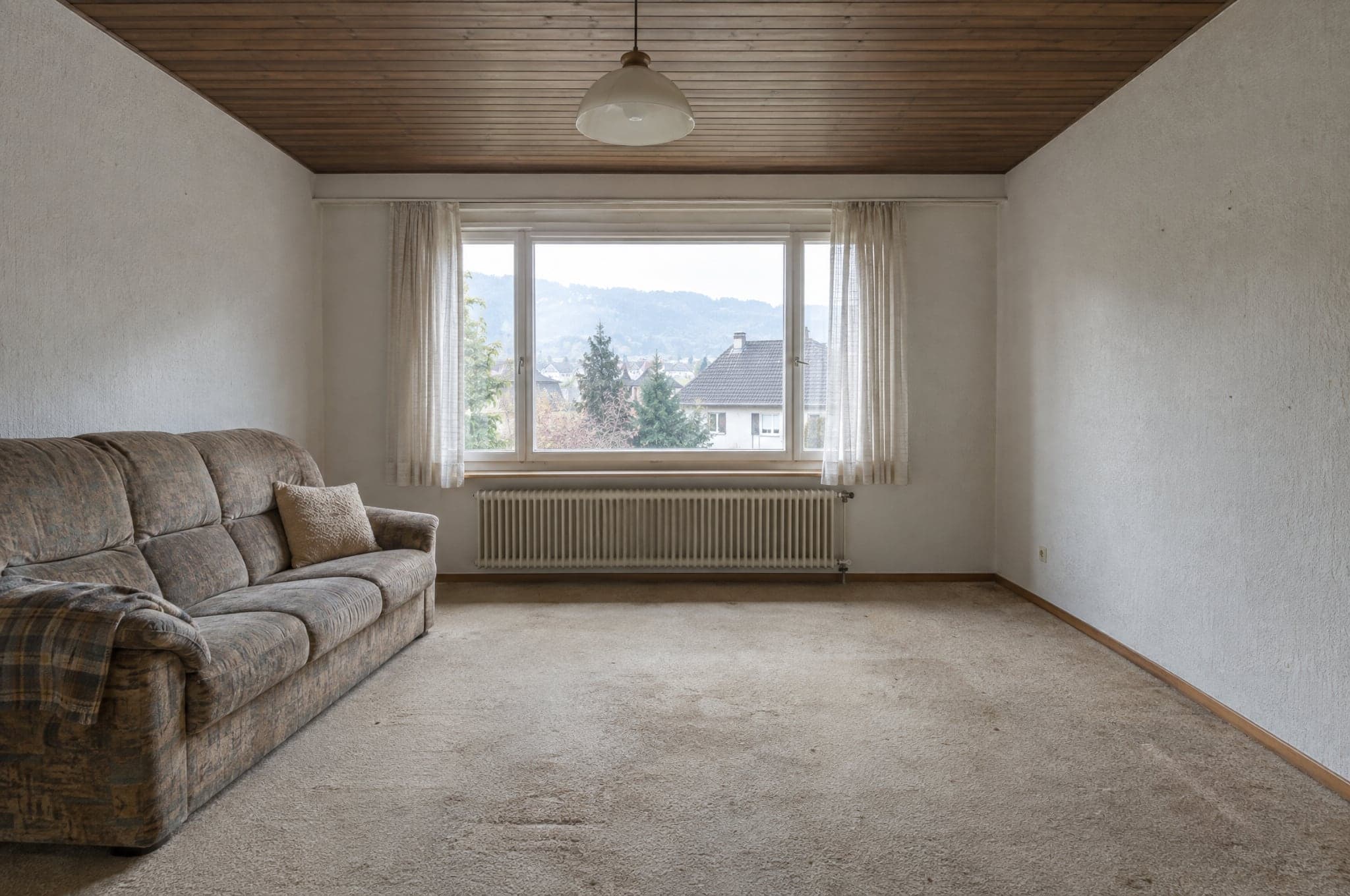 דוגמה
דוגמה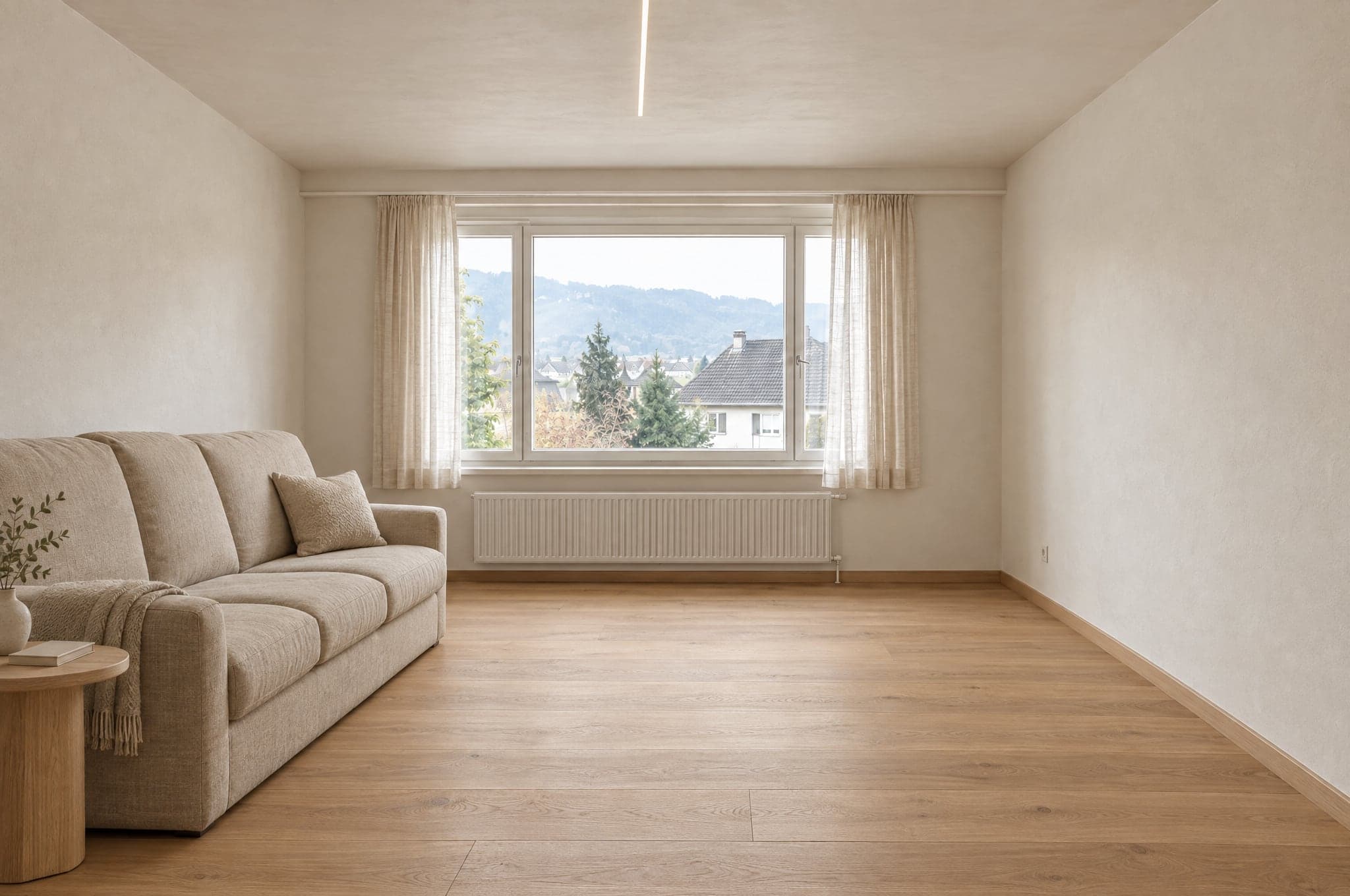 דוגמה
דוגמהנשאר כפי שצולם
- קירות ותקרה
- חלונות ודלתות
- פרופורציות החדר
- מיקום המצלמה
- כיוון אור היום
משתנה לפי הכיוון העיצובי
- משטחים וגימורים
- ארונות וריהוט
- אביזרים וכלים סניטריים
- צבעים
- תאורה
לכל תחום יש סט חומרים משלו.
מטבח לעולם לא יקבל אריחי מקלחת, וחזית לעולם לא תקבל צבע של פנים הבית. ב־System הגבול הוא הקטלוג שלכם, כך שהדמיה מציגה רק מוצרים שאתם מוכרים.
מטבח
- חזיתות
- משטחי עבודה
- חיפוי בין ארונות
- רצפה
- תאורה
מחוץ לגבול
אריחי מקלחת
חדר רחצה
- אריחי קיר
- ארון כיור
- ברזים ואביזרים
- מקלחת
- רצפה
מחוץ לגבול
חזיתות מטבח
חזית
- טיח
- חיפוי
- מסגרות חלונות
- צבע
- כניסה
מחוץ לגבול
צבע לפנים הבית
גינה ובריכה
- ריצוף חוץ
- שתילה
- בריכה
- טרסה
- תאורה
מחוץ לגבול
פרקט
המודלים יוצרים את התמונה. beform עושה את כל השאר.
beform לא מאמנת מודל יסוד. היא בונה ומאמנת את השכבה שהופכת את המודלים הכלליים החזקים לאמינים במטבחים, בחדרי רחצה, בחזיתות ובגינות, וממשיכה להעביר את השכבה הזאת אל המודלים הטובים ביותר בכל זמן נתון.
שכבת beform
כל מה שהופך את המודלים האלה לאמינים למטבחים, חדרי רחצה, חזיתות וגינות נבנה ונלמד על ידי beform. שם נמצאת העבודה, וזה מה שחברה קונה.
כללים לכל מקצוע ולכל תחום
מה מותר לשנות במטבח, בחדר רחצה, בחזית או בגינה, ומה לעולם אסור להזיז. כתוב לכל מקצוע, נבדק לכל תחום.
נעילת הגיאומטריה
קירות, חלונות, דלתות, תקרה ומצלמה משורטטים מתוך התצלום ומוחזקים, כך שהלקוח עדיין מזהה את החלל שלו.
ספריית החומרים
איך גימור מתנהג בחדר, ואיך כל התנהגות מתורגמת למוצרים שחברה באמת מוכרת.
הלימוד של החברה עצמה
דוגמאות, נתוני מוצר, פרויקטים גמורים ומשוב יועצים הופכים לשכבה ששייכת לאותה חברה בלבד.
ניתוב בין ספקים
כל שלב הולך למודל שהכי טוב בו כרגע. כשמופיע מודל חזק יותר, הניתוב זז והכללים נשארים.
מערכי בדיקה
מערכים קבועים של חדרים אמיתיים לכל תחום. מודל חדש או כלל ששונה נבדקים מולם ומושווים לפני שהם מגיעים לחשבון.
שער האיכות
הבדיקה האוטומטית שכל תוצאה עוברת לפני שהיא מוצגת, והסימון שהיא נושאת בתמונה ובקובץ.
המודלים הכלליים
יצירת תמונה וקריאת משפט נעשות על ידי המודלים החזקים ביותר הקיימים כיום מכמה ספקים. beform אינו מאמן מודל יסוד משלו ואינו טוען שכן.
תמונה היא ההתחלה, לא התוצר הסופי.
את המנוע שופטים לפי מה שהחברה שלכם יכולה לעשות עם התוצאה בשלב הבא, ולכן הוא מפיק יותר מתמונה.
מה הוא מפיק
- הדמיה פוטוריאליסטית של החלל של הלקוח עצמו, בכיוון מתוך הסדרה שלכם.
- כמה גרסאות להשוואה, כל אחת נשמרת ומקבלת שם.
- קובץ תמונה מסומן כתוצר בינה מלאכותית, בתמונה ובנתוני הקובץ.
- פניית פרויקט עם התצלום, התחום, הכיוון שנבחר ופרטי הקשר.
- הדמיה שהיועץ שלכם יכול לקחת ישירות להצעת המחיר.
- טווח מחירים מנחה, היכן שלחברה הוקם התוסף "מחירים והערכות עלות".
למי זה מיועד
הלקוח באתר שלכם
רואה את המטבח, חדר הרחצה, החזית או הגינה שלו גמורים עוד לפני שמישהו מגיע, ושומר את התמונה כדי להראות למי שמחליט איתו.
היועץ בפגישה
פותח את אותה הדמיה, מחליף חומרים מול עיני הלקוח, ויוצא עם החלטה במקום עם רשימת תארים.
צוות השיווק
מריץ קמפיינים שעונים עם החלל של המבקר עצמו, ומקבל פניות שכבר מסוננות.
הבעלים
רואה מאיפה מגיעות הפניות, כמה עולה ההדמיה ואילו הדמיות הפכו לעבודה חתומה.
אותה תמונה באפליקציית צ׳אט תיתן לכם תמונה נחמדה.
היא לא תיתן לכם את החדר שלכם, את קווי המוצרים שלכם, את אותה תשובה פעמיים, או משהו שהצוות שלכם יכול לשלוח. זה ההבדל בין פרומפט לשכבה מאומנת.
היא מחזיקה את החדר
הנחיה באפליקציית צ׳אט חופשית לצייר מחדש את החלל. השכבה משרטטת קודם את הגיאומטריה ומחזיקה אותה, כך שהתוצאה עדיין החדר של הלקוח.
היא מראה רק מה שאתם מוכרים
מודל כללי ממציא מוצר סביר. השכבה תחומה בקטלוג שלכם, כך שמה שהלקוח בחר ניתן לתמחור.
היא זהה בכל פעם
אותו תצלום ואותו כיוון נותנים תוצאה דומה לכל יועץ, במקום להיות תלויים במי שכותב הנחיה טובה יותר.
היא לא נעצרת בתמונה
ההדמיה מגיעה כפנייה, כשורה בהצעה וכקובץ מסומן, במותג שלכם ובמערכת הלקוחות שלכם, עם השימוש רשום.
נבדק לפני שמישהו רואה.
כל תוצאה נמדדת לפני שהיא מוצגת, הדמיה שלא עומדת בדרישות נוצרת פעם אחת נוספת או לא מוצגת כלל, וכל הדמיה שעוברת את הבדיקה מסומנת בתמונה ובקובץ. גם מה שהדמיה לא יכולה לומר לכם כתוב כאן.
נמדד אוטומטית
לפני שתוצאה מוצגת, נמדדים חמישה דברים: הקובץ שלם, ברזולוציה מלאה וביחס הממדים שהתבקש; המסגור הוא של התצלום, בלי חיתוך ובלי זום; קירות, חלונות, דלתות, קווי גג והאופק נמצאים במקום שבו היו; השינוי בוצע בפועל, ולא הוחזר אותו תצלום; ואף אזור אינו ריק, אפור או שחור. אותה תמונה מקבלת תמיד את אותה תשובה. הבדיקה אינה שופטת טעם ואינה קובעת אם החומר נכון.
כשתוצאה אינה עומדת בכך
היא נוצרת פעם נוספת, עם הנחיה מחמירה יותר שמציינת מה לא עבר. אם היא עדיין אינה עומדת בכך, היא לא מוצגת. הלקוחות רואים שההדמיה לא הושלמה ויכולים לנסות שוב.
מסומן כשהוא עובר
תוצאה שעוברת את הבדיקה מסומנת כהדמיית בינה מלאכותית, בתמונה ובמטא־נתונים של הקובץ, כך שבכל מקום ברור מה היא.
מה הדמיה איננה
היא איור של כיוון, לא תוכנית ולא הצעת מחיר. היא אינה בקנה מידה, המידות וטווחי המחיר מנחים, והחברה מאשרת חומרים, היתכנות ומחיר בהצעה שלה.
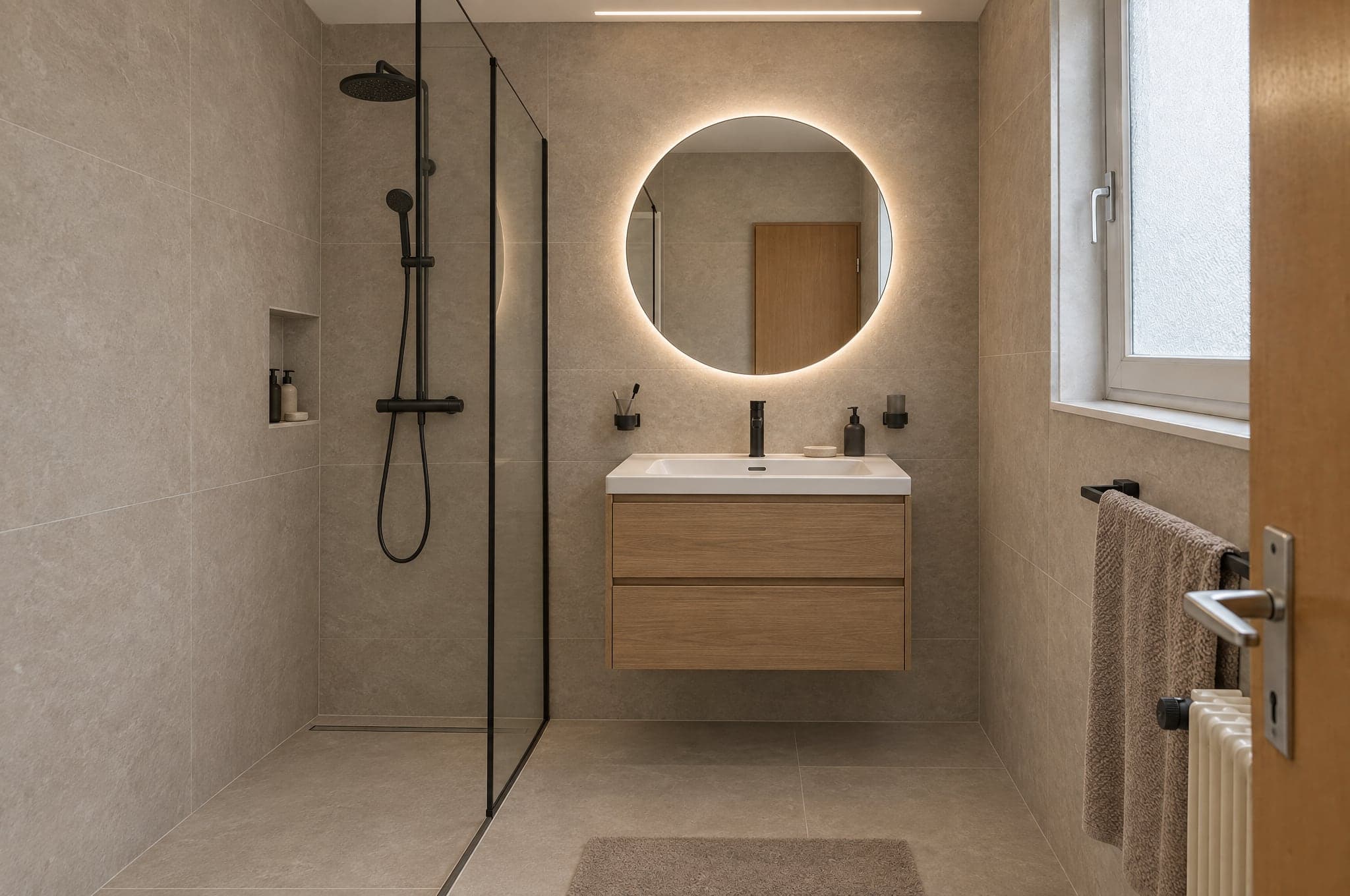 דוגמה
דוגמהבדיקה אוטומטית
עבר- קובץ
- מסגור
- מבנה
- שינוי
- ניקיון
שלושה מנועים, שנבחרו לפי החוזקות שלהם.
בוחרים מנוע לכל מוצר ולכל רגע. סקיצות ב־Fast, האתר ב־Pro, הצגה ללקוחות ב־Ultra. כל תוצאה עוברת את אותה שכבת איכות לפני שהלקוחות רואים אותה.
למצגות
Ultra
הנאמנות הגבוהה ביותר לחדר של הלקוחות עצמם. הגאומטריה, האור והחומרים משכנעים גם במסך מלא וגם בדפוס.
נאמנותמהירות- זמן טיפוסי
- 40 עד 90 שניות
- מתאים במיוחד עבור
- הצעות מחיר, מצגות של צוות הייעוץ, פרויקטי פרימיום
ליום־יום
Pro
חד ואמין. מנוע ברירת המחדל באתר ובפגישות הייעוץ היומיומיות.
נאמנותמהירות- זמן טיפוסי
- 15 עד 30 שניות
- מתאים במיוחד עבור
- Showroom באתר, עבודה יומיומית ב־Studio
לכמויות גדולות
Fast
כיוונים ראשונים בתוך שניות, לקמפיינים שבהם הכמות חשובה יותר מהפרט האחרון. כל תוצאה אפשר לשדרג ל־Pro או ל־Ultra בלחיצה אחת.
נאמנותמהירות- זמן טיפוסי
- 8 עד 15 שניות
- מתאים במיוחד עבור
- דפי נחיתה לקמפיינים, כיוונים ראשונים
באתר שלכם, או בכתובת משלכם.
ה־Showroom פועל בכל מקום שבו הלקוחות כבר מוצאים אתכם. ה־Studio פועל בדפדפן: בטאבלט באולם התצוגה, בטלפון בשטח ובמסך במשרד.
- <script>
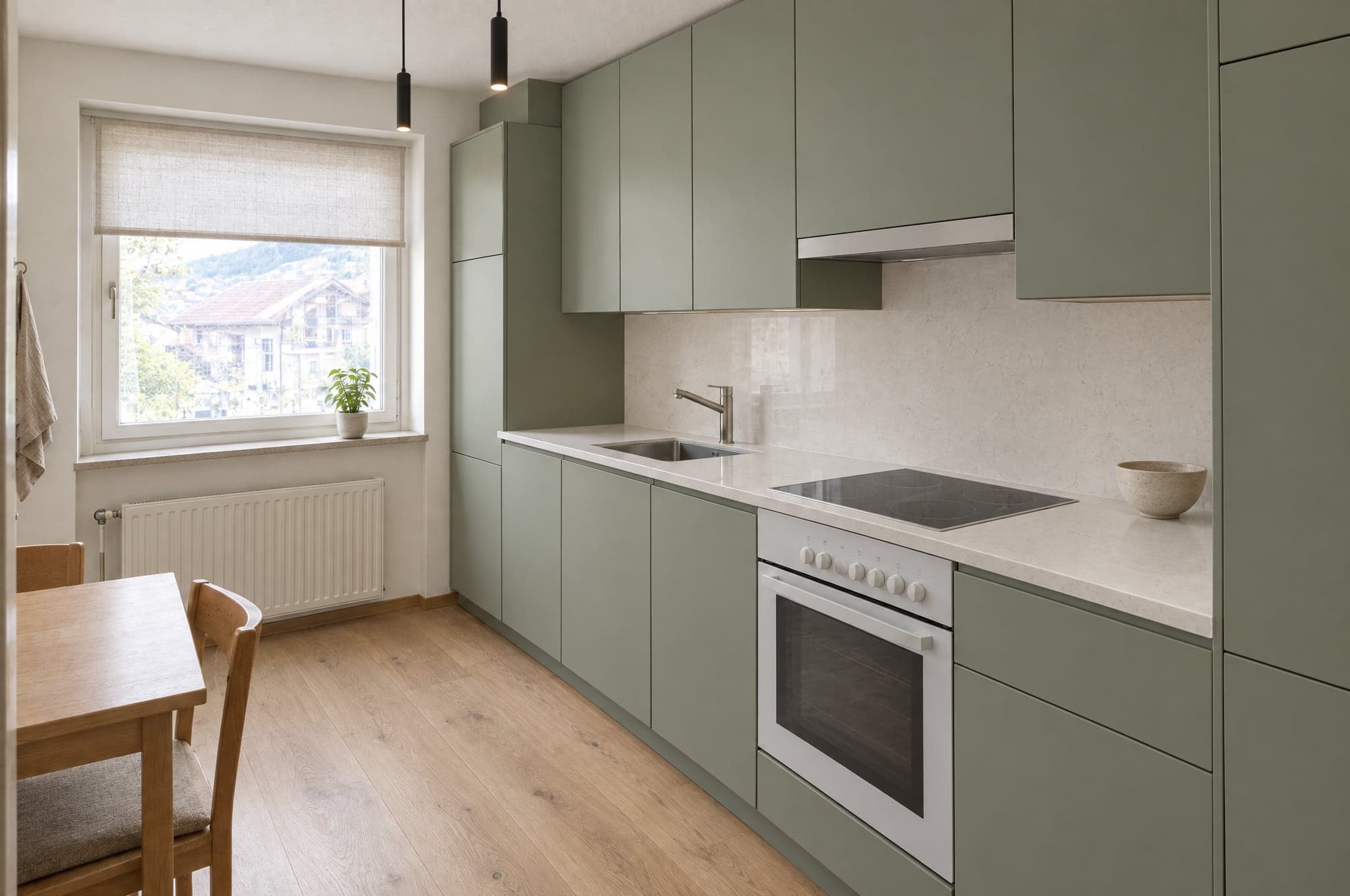 לשמור את ההדמיה שלי
מוטמע באתר שלכם
תגית script אחת מציבה את ה־Showroom בכל עמוד באתר. WordPress, Webflow, Shopify, Squarespace או אתר בפיתוח מותאם. הוא מקבל את הצבעים והגופן שלכם.
- visual.yourdomain.co.ilחדר הרחצה שלכםטבעי וחםלשמור את ההדמיה שלי
בתת־דומיין שלכם
Showroom מתארח בכתובת כמו visual.yourdomain.com, לקמפיינים, לקודי QR באולם התצוגה ולאתרים שאתם מעדיפים לא לגעת בהם.
הפניות מגיעות למקום שבו הצוות שלכם כבר עובד.
27 חיבורים למערכות CRM, אוטומציה, אתרים, שיווק ותקשורת. את HubSpot, Pipedrive ו־Salesforce מחברים בפורטל שלכם, ו־webhook חתום מגיע לכל מערכת אחרת, ישירות או דרך Zapier ו־Make.
CRM ומכירות
פניות הופכות לאנשי קשר, ללידים ולעסקאות.
- HubSpot
יוצר או מעדכן את איש הקשר ומוסיף עסקה או הערה, עם קישורים להדמיה.
- Salesforce
ליד לכל פנייה דרך Web-to-Lead, עם הפרטים והקישורים בשדות שתמפו.
- Pipedrive
איש קשר ועסקה בשלב שתבחרו, או ליד, עם הערה שמקשרת להדמיה.
- Zoho CRM
דרך Zapier, Make או ה־webhook החתום, או בהגדרה של beform.
- Microsoft Dynamics 365
דרך ה־webhook החתום, Zapier או Make, או בהגדרה של beform.
- monday.com
דרך Zapier, Make או ה־webhook החתום, או בהגדרה של beform.
- Bexio
דרך Zapier, Make או ה־webhook החתום, או בהגדרה של beform.
- Odoo
דרך ה־webhook החתום, Zapier או Make, או בהגדרה של beform.
אוטומציה
ניתוב כל פנייה לכל מקום שהתהליך שלכם צריך.
- Zapier
מחובר דרך ה־webhook החתום, עם מדריך צעד אחר צעד בפורטל שלכם.
- Make
Custom webhook מפעיל את התרחיש שלכם, עם מדריך צעד אחר צעד בפורטל שלכם.
- n8n
צומת webhook מפעיל את תהליך העבודה שלכם בכל פנייה חתומה.
- Airtable
רשומה לכל פנייה, דרך Zapier או Make.
- Google Sheets
שורה לכל פנייה דרך Zapier או Make, לצוותים שמוכרים מגיליון.
- Webhooks
בקשת HTTPS POST חתומה לכל פנייה, עם ניסיון חוזר בכשל, כל השדות וקישורים להדמיה.
אתרים
ה־Showroom פועל באתר שכבר יש לכם.
- WordPress
תגית script אחת בכל עמוד, או עמוד מתארח בדומיין שלכם.
- Webflow
הצבת ה־Showroom בכל מקטע באמצעות רכיב embed.
- Shopify
עמוד Showroom בתוך ערכת העיצוב שלכם, מוטמע בעזרת סקריפט ההטמעה.
- Squarespace
הוספת ה־Showroom עם בלוק קוד בכל עמוד.
- Wix
הטמעת ה־Showroom עם רכיב קוד מותאם.
- Framer
הוספת ה־Showroom לעמוד עם רכיב embed.
שיווק ואנליטיקה
למדוד את התהליך ולהזין את הקמפיינים שלכם.
- Google Analyticsמתוכנן
העלאות, כיוונים ופניות כאירועים ב־GA4.
- Google Tag Managerמתוכנן
כל שלב בתהליך נשלח ל־data layer.
- Google Adsמתוכנן
פניות איכותיות חוזרות כהמרות לאופטימיזציה של הבידינג.
- Metaמתוכנן
פניות מדווחות כהמרות לקמפיינים שלכם ב־Meta.
- Mailchimp
אנשי קשר מגיעים לקהל שתבחרו, דרך Zapier או Make.
- Brevo
אנשי קשר והכיוון שבחרו מגיעים ל־Brevo דרך Zapier או Make.
תקשורת
לעדכן את הצוות, לענות ללקוחות.
- Slack
הודעה בערוץ המכירות שלכם על כל פנייה חדשה, דרך Zapier או Make.
- Microsoft Teams
פניות חדשות מתפרסמות בערוץ שהצוות שלכם עוקב אחריו, דרך Zapier או Make.
- WhatsApp
הודעה לצוות שלכם על כל פנייה חדשה, דרך Zapier או Make.
- Gmail
כל פנייה באימייל לצוות שלכם, לא משנה מה עוד מחובר.
- Calendly
הלקוחות קובעים פגישת ייעוץ מיד אחרי ששמרו את ההדמיה.
מסומן כ־AI, באופן גלוי ובתוך הקובץ.
beform נבנתה עבור כללי השקיפות של חוק הבינה המלאכותית של האיחוד האירופי (EU AI Act). כל הדמיה מציינת מה היא, גם לאדם שמסתכל עליה וגם לתוכנה שפותחת אותה.
כך beform מסמנת הדמיות ומטפלת בהן כיום. אין מדובר בהסמכה.
תווית גלויה
כל הדמיה בדמו נושאת תווית beform גלויה, כך שאף אחד לא יטעה לחשוב שמדובר בתצלום.
סימון בתוך הקובץ
תמונות ש־beform מספקת כוללות מטא־נתוני IPTC שמסמנים אותן כנוצרו בבינה מלאכותית, התקן שבו משתמשים מוציאים לאור ופלטפורמות.
איור של החלל שלהם
הגאומטריה של התמונה של הלקוחות נשמרת, וכל הדמיה מוצגת כאיור של כיוון עיצובי, לא כפרויקט מוגמר.
בלי החלטות לגבי אנשים
בלי עיבוד ביומטרי ובלי החלטות אוטומטיות לגבי אנשים. כל הדמיה נבדקת אוטומטית לפני שמישהו רואה אותה.
נבנה בשווייץ, ומאוחסן בציריך.
מה שמחלקת ה־IT ועורכי הדין שלכם שואלים קודם כול, עם תשובות במקום אחד.
- מאוחסן בציריך, פועל בפרנקפורט
- מסד הנתונים ואחסון הקבצים נמצאים בציריך שבשווייץ, והיישום פועל בפרנקפורט שבגרמניה. כדי ליצור הדמיה, התמונה נשלחת למודלי הבינה המלאכותית של Google ו־OpenAI, שמעבדים אותה בתשתית שלהם, בין היתר בארצות הברית, לפי תנאי עיבוד מידע.
- הצפנה במנוחה ובמעבר
- TLS בכל חיבור ל־beform, והצפנה במנוחה בידי ספקי האחסון שמחזיקים את הנתונים.
- כל חברה מופרדת מהאחרות
- כל הלקוחות חולקים מסד נתונים אחד, וכל רשומה שייכת לאחד מהם. אבטחה ברמת השורה מאפשרת למשתמשים מחוברים לקרוא רק את הרשומות של החברה שלהם, ובדיקה שמתחברת בשם שתי חברות מוודאת את ההפרדה אחרי שינויים במסד הנתונים.
- הרשאות לפי תפקיד, כניסה עם אימות דו־שלבי
- חשבונות אישיים עם התפקידים בעלים, מנהל, מכירות, יועץ וצופה, שנבדקים בשרת, וכניסה עם אימות דו־שלבי שזמינה לכל משתמש. צוות beform רואה את הנתונים שלכם רק דרך גישת תמיכה מוגבלת בזמן שאתם מעניקים, או בזמן הכנה של הפעלת Second Look שביקשתם.
- אחסון פרטי, קישורים קצרי מועד
- תמונות והדמיות לעולם אינן קריאות לציבור. כל קובץ נפתח רק דרך קישור חתום שתוקפו פג, ופעולות רגישות, כמו ייצוא, נרשמות ביומן ביקורת.
- תקופת שמירה שנקבעת בחוזה
- תמונות של מבקרים שלא שולחים פנייה נמחקות אחרי 90 יום, אלא אם סוכם אחרת. פניות נשמרות עד שאתם מוחקים אותן. כשהחוזה מסתיים, אנחנו מייצאים את הנתונים שלכם אם תבקשו זאת בתוך 30 יום, ואחר כך מוחקים אותם בתוך 30 יום נוספים. עותקים של נתונים שנמחקו יוצאים מהגיבויים בתוך 90 יום לכל היותר.
- בלי אימון על הנתונים שלכם
- beform אינה משתמשת בתוכן שלכם או בנתוני הלקוחות שלכם לאימון מודלי בינה מלאכותית, ולפי תנאי ה־API של החשבונות של beform, גם ספקי הבינה המלאכותית לא עושים זאת.
- שותף חוזי שווייצרי
- beform היא מוצר של crue GmbH, שווייץ. הסכם הלקוח כפוף לדין השווייצרי, ונספח עיבוד המידע שלו מכסה את חוק הגנת המידע השווייצרי (FADP), את ה־GDPR, וככל שהיא חלה, גם את ה־UK GDPR.
לבקש הדגמה על הפרויקטים שלכם.
ראו את beform על החדרים, החזיתות והגינות שהלקוחות שלכם באמת שולחים. בלי מצגות, בלי מטבח לדוגמה.
- 01אתם שולחים את כתובת האתר ושורה על מה שאתם מוכרים.
- 02Edvin מכין הדמיות משלושה פרויקטים אמיתיים שלכם.
- 03שלושים דקות יחד על התוצאה, תהליך הפניות וההקמה.
 Edvin Karlssonשותף ב־beform
ספרו לנו מאיפה להתחיל
Edvin עונה בתוך יום עבודה אחד, עם מועד ועם מה שכדאי לשלוח.
beform על תמונה אמיתית של הלקוחות שלכם.
העלו תמונה אחת בדמו וראו איך היא מקבלת צורה. או קבעו שלושים דקות, ונריץ את beform על שלושה פרויקטים אמיתיים שלכם.