Il beform Engine. La stanza del cliente, intatta.
Un render è utile solo se il cliente riconosce il proprio spazio. Tutto ciò che c’è dietro le quinte esiste per questo: la geometria resta, i materiali restano entro limiti definiti e ogni risultato viene verificato prima che qualcuno lo veda.
Sette parti, un solo percorso dalla foto alla richiesta.
Il beform Engine non è un solo modello. Sono sette parti che lavorano in sequenza, dalla lettura della foto del cliente fino alla richiesta che arriva al team, con un ciclo che affina lo strato della Sua azienda mentre vende.
- Capire
Percezione
Lo spazio viene letto.
Prima di generare qualsiasi cosa, beform legge la fotografia: la geometria dello spazio e la posizione della camera, dove ogni superficie inizia e finisce, la direzione della luce naturale e i materiali già presenti nella stanza.
- Geometria
- Camera
- Superfici
- Luce naturale
- Materiali esistenti
Conoscenza
L’azienda, strutturata.
Gamme, finiture, direzioni stilistiche, standard e regole dell’azienda stanno in uno strato a parte, con i prezzi dove sono stati configurati, così un’immagine può mostrare soltanto ciò che l’azienda vende davvero.
- Gamme
- Finiture
- Direzioni stilistiche
- Regole
- Standard
- Prezzi dove configurati
Direzione
Il desiderio diventa istruzione.
L’ambiente scelto dal cliente, lo stile selezionato, i riferimenti portati e la frase scritta diventano un’unica istruzione precisa: che cosa deve restare, che cosa può cambiare e fino a che punto.
- Ambiente
- Stile scelto
- Riferimenti
- La nota del cliente
- Generare
Generazione
L’immagine prende forma.
L’istruzione viene instradata ai modelli più forti disponibili in quel momento, come Fast, Pro o Ultra, e l’immagine prende forma mantenendo al suo posto la geometria della fotografia del cliente.
- Fast
- Pro
- Ultra
- Blocco della geometria
- Instradamento tra fornitori
Controllo
Verificata prima che la veda qualcuno.
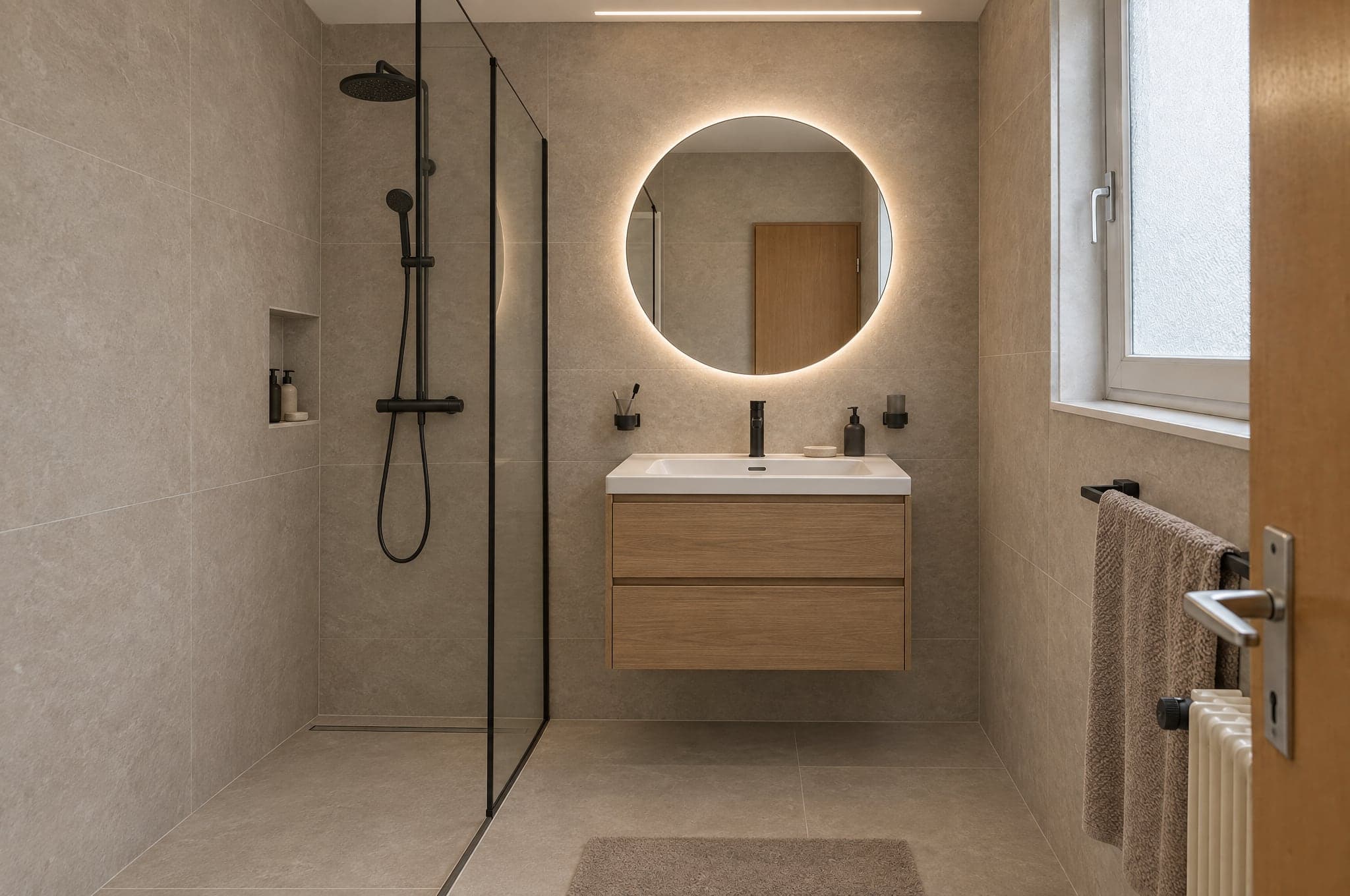
Ogni risultato viene misurato prima di essere mostrato: un file completo, l’inquadratura della fotografia, pareti e aperture al loro posto, un cambiamento davvero eseguito e nessuna area vuota. Viene contrassegnato come immagine IA nella figura e nel file.
- File
- Inquadratura
- Struttura
- Cambiamento
- Pulizia
- Etichetta
- Continuare
Passaggio
Diventa una richiesta.
L’immagine scelta esce dal motore in una forma su cui il team può lavorare: una richiesta di progetto con la foto e il contatto allegati, una voce di preventivo, un record nel CRM.
- Richiesta di progetto
- Voce di preventivo
- File immagine
- Scheda nel CRM
Apprendimento
Lo strato dell’azienda si affina.
Ciò che i consulenti conservano, cambiano o scartano, e ciò che i clienti scelgono alla fine, torna nello strato dell’azienda, così l’immagine successiva parte più vicina allo standard che l’azienda approverebbe.
- Riscontri dei consulenti
- Scelte dei clienti
- Lo standard dell’azienda
Il ciclo
L’apprendimento alimenta la conoscenza. Ogni progetto che l’azienda vende addestra il suo strato, e il motore parte da lì per l’immagine successiva.
Costruito da persone che hanno imparato come si vende questo lavoro.
Un modello generico sa che aspetto ha una cucina. Non sa dove va il giunto di un piano di lavoro, quali ante tiene in magazzino un’azienda, né cosa succede tra una richiesta e un preventivo firmato. È questa conoscenza a fare il prodotto.
I mestieri
beform è costruito per un solo tipo di lavoro: trasformare uno spazio in cui qualcuno vive già. Ogni mestiere vende in modo diverso, mostra in modo diverso e ha un proprio vocabolario, perciò ogni mestiere ha regole proprie dentro il motore, invece di un’unica impostazione generale.
- Studi di cucine
- Specialisti del bagno
- Imprese generali
- Facciate e tinteggiatura
- Paesaggisti e costruttori di piscine
- Serramenti e protezione solare
- Pavimenti e finiture d’interni
- Architetti e sviluppatori immobiliari
Come si comportano i materiali
Un’immagine convince o sbaglia nei dettagli che noterebbe un posatore. Quei dettagli sono scritti come regole e testati per ambiente, perché un modello generico non ha motivo di conoscerli.
- Dove inizia e dove finisce una superficie
- Fughe, giunti, battiscopa e linee di silicone
- Spigoli, profili e spalle delle finestre
- Grado di lucentezza, venatura e resa di una finitura alla luce naturale
- Illuminazione integrata rispetto alla luce già presente nella stanza
- Se il risultato sia davvero realizzabile
Come vendono queste aziende
Questo lavoro lo vendono le persone, in una sequenza che non è cambiata: una richiesta, un appuntamento in esposizione, un sopralluogo, un preventivo dopo le misure, tempi di consegna di settimane. beform è costruito attorno a questa sequenza, ed è per questo che un’immagine finisce come richiesta e come voce di preventivo, non come download.
- La richiesta, e chi risponde per primo
- L’appuntamento in esposizione e il sopralluogo
- Gamme, fornitori e tempi di consegna
- Che cosa si può promettere in un preventivo e che cosa no
- Chi approva un’immagine prima che la veda un cliente
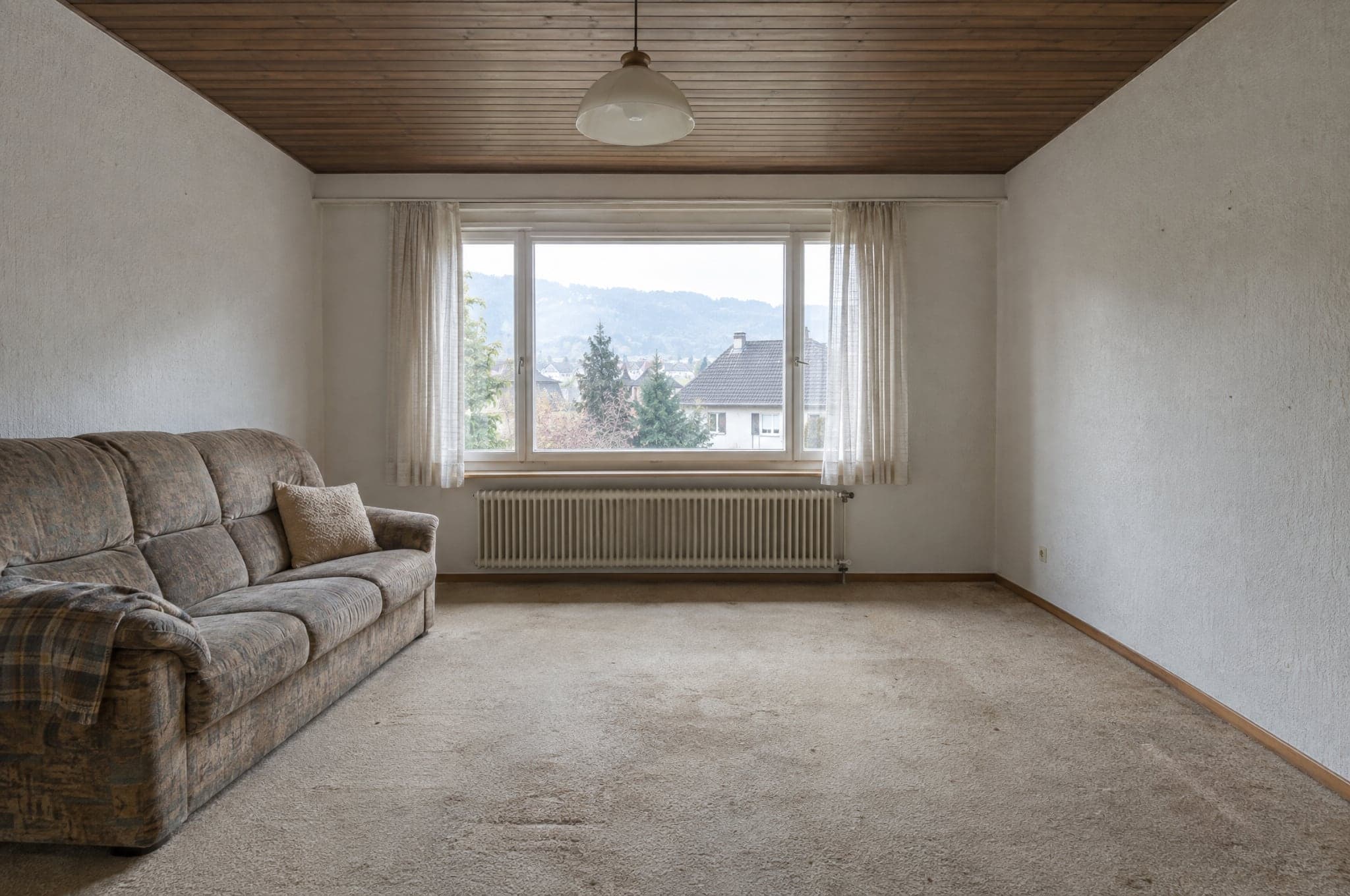
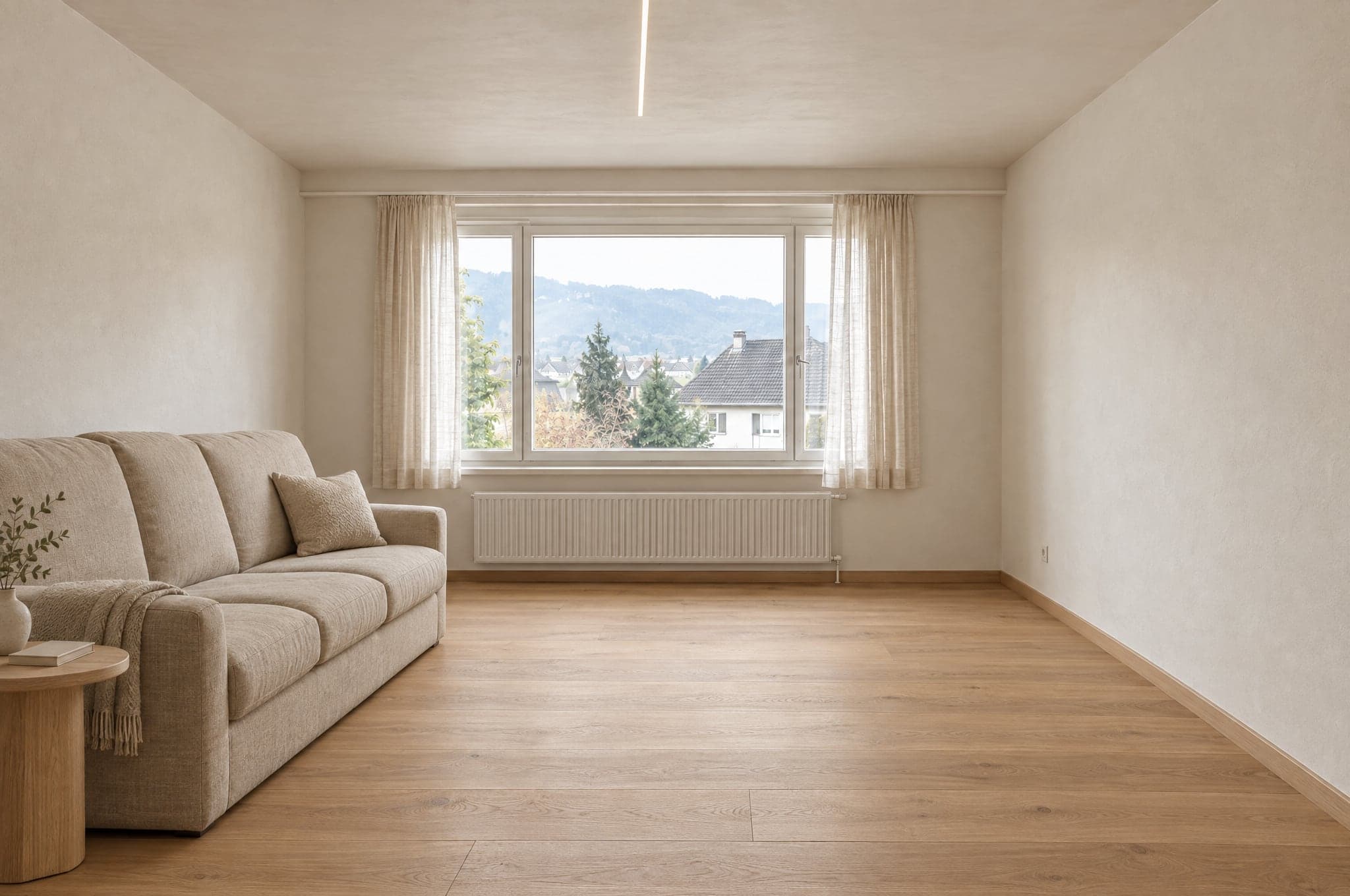
Le linee della stanza restano dove erano.
Prima di generare qualsiasi render, beform traccia le pareti, la finestra, la linea del soffitto e la posizione della fotocamera. Quelle linee sono fisse. Il render può cambiare solo ciò che cambierebbe una ristrutturazione.
 Esempio
 Esempio
Resta come nella foto
- Pareti e soffitto
- Finestre e porte
- Proporzioni della stanza
- Posizione della fotocamera
- Direzione della luce naturale
Cambia con la direzione stilistica
- Superfici e finiture
- Mobili e arredi
- Rubinetteria e accessori
- Colori
- Illuminazione
Ogni ambiente ha la propria gamma di materiali.
Una cucina non riceve mai piastrelle da doccia e una facciata non riceve mai pittura per interni. Con il System il limite è il Suo catalogo, così un render mostra solo prodotti che vende.
Cucina
- Ante
- Piani di lavoro
- Schienale
- Pavimento
- Illuminazione
Fuori dai limiti
Piastrelle della doccia
Bagno
- Piastrelle a parete
- Mobile lavabo
- Rubinetteria
- Doccia
- Pavimento
Fuori dai limiti
Ante della cucina
Facciata
- Intonaco
- Rivestimento
- Telai delle finestre
- Colore
- Ingresso
Fuori dai limiti
Pittura per interni
Giardino e piscina
- Pavimentazione
- Piantumazione
- Piscina
- Terrazza
- Illuminazione
Fuori dai limiti
Parquet
I modelli generano. beform fa il resto.
beform non addestra un modello di base, ma costruisce e addestra lo strato che rende i migliori modelli generici affidabili per cucine, bagni, facciate e giardini, e sposta quello strato sui modelli via via più performanti.
Lo strato beform
Tutto ciò che rende quei modelli affidabili per cucine, bagni, facciate e giardini è costruito e addestrato da beform. È lì che sta il lavoro, ed è questo che un’azienda acquista.
Regole per mestiere e per ambiente
Che cosa può cambiare in una cucina, un bagno, una facciata o un giardino, e che cosa non deve mai muoversi. Scritto per mestiere, testato per ambiente.
Il blocco della geometria
Pareti, finestre, porte, soffitto e inquadratura vengono tracciati dalla fotografia e mantenuti, così il cliente riconosce ancora il proprio spazio.
La libreria dei materiali
Come si comporta una finitura in una stanza e come ogni comportamento corrisponde ai prodotti che un’azienda vende davvero.
L’addestramento della singola azienda
Referenze, dati di prodotto, progetti realizzati e riscontri dei consulenti diventano uno strato che appartiene solo a quell’azienda.
L’instradamento tra i fornitori
Ogni passaggio va al modello che in quel momento lo esegue meglio. Quando arriva un modello più forte, l’instradamento cambia e le regole restano.
I set di valutazione
Serie fisse di stanze reali per ogni ambiente. Un nuovo modello o una regola modificata vengono eseguiti su queste serie e confrontati prima di arrivare a un account.
Il controllo qualità
La verifica automatica di ogni risultato prima che venga mostrato e il contrassegno che porta nella figura e nel file.
I modelli generici
Generare un’immagine e leggere una frase lo fanno i migliori modelli attuali di diversi fornitori. beform non addestra un proprio modello di base e non sostiene di farlo.
L’immagine è l’inizio, non il risultato finale.
Il motore si giudica da ciò che l’azienda può fare dopo con il risultato. Per questo produce più di un’immagine.
Cosa produce
- Un’immagine fotorealistica dello spazio del cliente, in una direzione presa dalla gamma dell’azienda.
- Più versioni da confrontare, ciascuna conservata e con un nome.
- Un file immagine contrassegnato come generato con IA, nella figura e nei metadati.
- Una richiesta di progetto con la foto, l’ambiente, la direzione scelta e il contatto.
- Un’immagine che il consulente può portare direttamente nel preventivo.
- Una fascia di prezzo indicativa, dove l’azienda ha configurato il modulo aggiuntivo Prezzi e stime.
Per chi è
Il cliente sul sito dell’azienda
Vede la propria cucina, il proprio bagno, la propria facciata o il proprio giardino finiti prima che qualcuno passi, e conserva l’immagine da mostrare a chi decide insieme a lui.
Il consulente durante l’incontro
Apre la stessa immagine, cambia i materiali mentre il cliente guarda ed esce con una decisione invece che con un elenco di aggettivi.
Il team marketing
Fa campagne che rispondono con lo spazio del visitatore e riceve richieste già qualificate.
Il titolare
Vede da dove arrivano le richieste, quanto costano i render e quali immagini sono diventate lavori firmati.
La stessa foto in un’app di chat dà una bella immagine.
Non darà la Sua stanza, la Sua gamma, due volte la stessa risposta, né qualcosa che il team possa inviare. È questa la differenza tra un prompt e uno strato addestrato.
Tiene la stanza
Un prompt in un’app di chat è libero di ridisegnare lo spazio. Lo strato traccia prima la geometria e la mantiene, così il risultato è ancora la stanza del cliente.
Mostra solo ciò che l’azienda vende
Un modello generico inventa un prodotto plausibile. Lo strato è delimitato dal catalogo dell’azienda, così ciò che il cliente ha scelto si può preventivare.
È uguale ogni volta
La stessa foto e la stessa direzione danno un risultato confrontabile per ogni consulente, invece di dipendere da chi scrive il prompt migliore.
Non si ferma all’immagine
L’immagine arriva come richiesta, voce di preventivo e file contrassegnato, con il marchio dell’azienda e nel suo CRM, con l’utilizzo contabilizzato.
Verificato prima che qualcuno lo veda.
Ogni risultato viene misurato prima di essere mostrato, un’immagine che non tiene viene formata una seconda volta oppure non viene mostrata affatto, e ogni immagine che supera la verifica viene contrassegnata nella figura e nel file. Anche ciò che un’immagine non può dire è scritto qui.
Misurato automaticamente
Prima che un risultato venga mostrato, si misurano cinque cose: il file è completo, alla piena risoluzione e nelle proporzioni richieste; l’inquadratura è quella della fotografia, senza ritagli né zoom; pareti, finestre, porte, linee del tetto e orizzonte sono dove erano; il cambiamento è stato davvero eseguito e non è la fotografia restituita così com’è; e nessuna area è vuota, grigia o nera. La stessa immagine riceve sempre la stessa risposta. La verifica non giudica il gusto né se un materiale è quello giusto.
Quando un risultato non tiene
Viene formato una seconda volta, con un’istruzione più severa che indica che cosa non ha tenuto. Se ancora non tiene, non viene mostrato. Il cliente vede che il render non è stato completato e può riprovare.
Contrassegnata quando supera la verifica
Un risultato che supera la verifica viene contrassegnato come immagine IA, nella figura e nei metadati del file, così dice che cos’è ovunque vada.
Che cosa non è un’immagine
È l’illustrazione di una direzione, non un progetto e non un preventivo. Non è in scala, misure e fasce di prezzo sono indicative, e l’azienda conferma materiali, fattibilità e prezzo nel proprio preventivo.
 Esempio
Verifica automatica
Superato- File
- Inquadratura
- Struttura
- Cambiamento
- Pulizia
Tre motori, scelti per i loro punti di forza.
Scelga il motore per prodotto e per momento. Bozze con Fast, il sito web con Pro, le presentazioni con Ultra. Ogni risultato supera lo stesso controllo qualità prima che un cliente lo veda.
Per le presentazioni
Ultra
La massima fedeltà all’ambiente reale del cliente. Geometria, luce e materiali reggono a schermo intero e in stampa.
FedeltàVelocità- Tempo tipico
- da 40 a 90 s
- Ideale per
- Preventivi, presentazioni dei consulenti, progetti di pregio
Per tutti i giorni
Pro
Nitido e affidabile. Il motore predefinito sul sito e nella consulenza di tutti i giorni.
FedeltàVelocità- Tempo tipico
- da 15 a 30 s
- Ideale per
- Showroom sul sito, lavoro quotidiano nello Studio
Per i volumi
Fast
Prime direzioni in pochi secondi, per campagne in cui il volume conta più dell’ultimo dettaglio. Ogni risultato passa a Pro o Ultra con un clic.
FedeltàVelocità- Tempo tipico
- da 8 a 15 s
- Ideale per
- Landing page delle campagne, prime direzioni
Sul Suo sito web, o su un Suo indirizzo.
Lo Showroom funziona ovunque i Suoi clienti La trovino già. Lo Studio funziona nel browser: sul tablet in esposizione, sul telefono in cantiere e sullo schermo in ufficio.
- <script>
 Conserva la mia immagine
Integrato nel sito
Un tag script inserisce lo Showroom in qualsiasi pagina del sito. WordPress, Webflow, Shopify, Squarespace o un sito su misura. Eredita i colori e il carattere tipografico del sito.
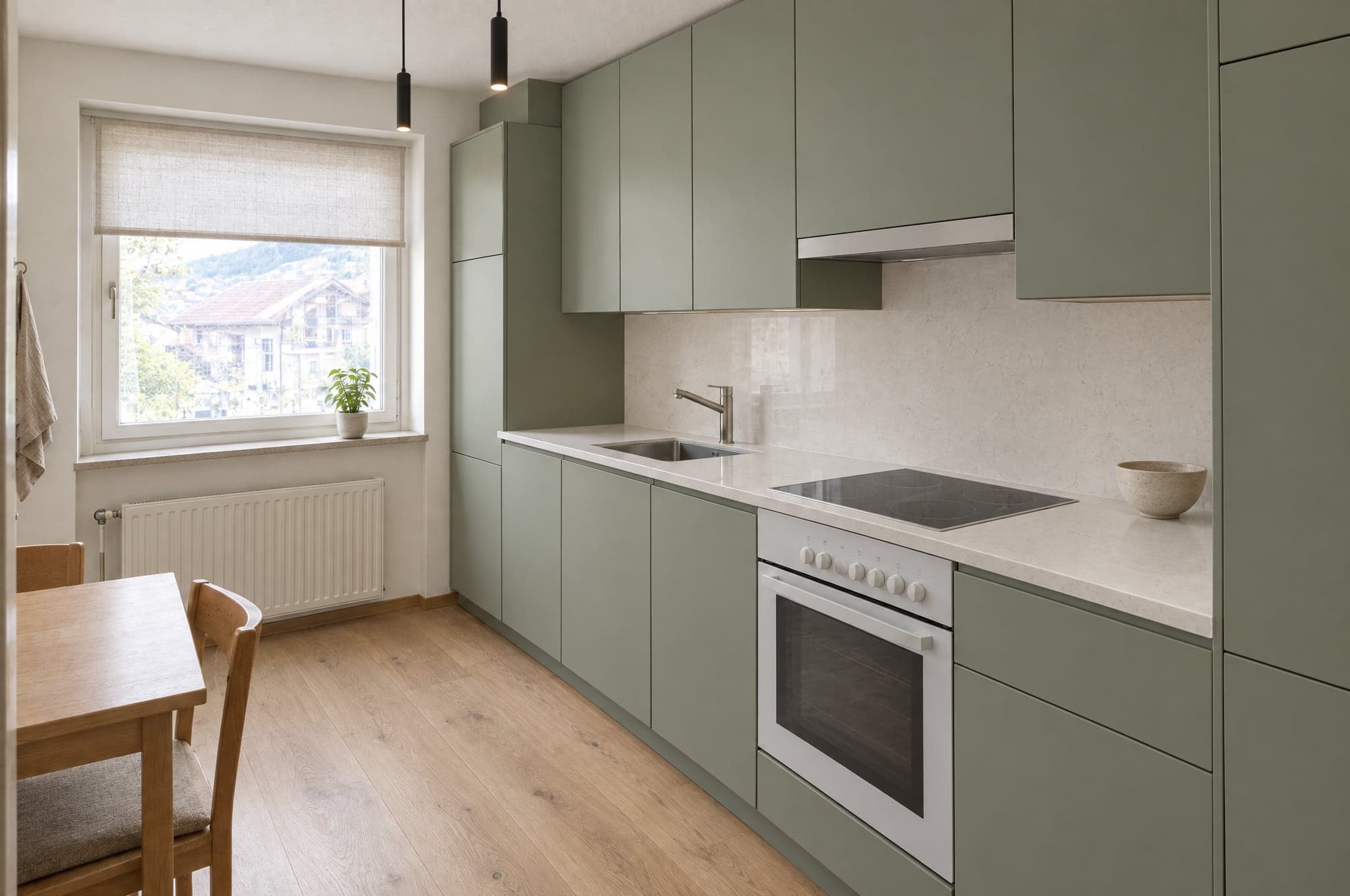
- visual.azienda.comIl Suo bagnoNaturale caldoConserva la mia immagine
Su un sottodominio proprio
Uno Showroom ospitato su un indirizzo come visual.azienda.com, per campagne, codici QR in esposizione e siti che si preferisce non toccare.
Le richieste arrivano dove il Suo team lavora già.
27 integrazioni per CRM, automazione, siti web, marketing e comunicazione. HubSpot, Pipedrive e Salesforce si collegano nel portale, e un webhook firmato raggiunge ogni altro sistema, direttamente o tramite Zapier e Make.
CRM e vendite
Le richieste diventano contatti, lead e trattative.
- HubSpot
Crea o aggiorna il contatto e aggiunge una trattativa o una nota, con i link all’immagine.
- Salesforce
Un lead per ogni richiesta tramite Web-to-Lead, dettagli e link nei campi mappati.
- Pipedrive
Una persona e una trattativa nella fase scelta, o un lead, con una nota e il link all’immagine.
- Zoho CRM
Tramite Zapier, Make o il webhook firmato, oppure configurato da beform.
- Microsoft Dynamics 365
Tramite il webhook firmato, Zapier o Make, oppure configurato da beform.
- monday.com
Tramite Zapier, Make o il webhook firmato, oppure configurato da beform.
- Bexio
Tramite Zapier, Make o il webhook firmato, oppure configurato da beform.
- Odoo
Tramite il webhook firmato, Zapier o Make, oppure configurato da beform.
Automazione
Ogni richiesta instradata dove il processo ne ha bisogno.
- Zapier
Collegato tramite il webhook firmato, con una guida passo passo nel portale.
- Make
Un webhook personalizzato avvia lo scenario, con una guida passo passo nel portale.
- n8n
Un nodo webhook avvia il workflow a ogni richiesta firmata.
- Airtable
Un record per ogni richiesta, tramite Zapier o Make.
- Google Sheets
Una riga per richiesta tramite Zapier o Make, per i team che vendono da un foglio di calcolo.
- Webhook
Una POST HTTPS firmata per ogni richiesta, ripetuta in caso di errore, con tutti i campi e i link all’immagine.
Siti web
Lo Showroom funziona sul sito che già esiste.
- WordPress
Un tag script su qualsiasi pagina, o una pagina ospitata sul proprio dominio.
- Webflow
Lo Showroom in qualsiasi sezione, con un elemento embed.
- Shopify
Una pagina Showroom nel tema, inserita con lo script di incorporamento.
- Squarespace
Lo Showroom su qualsiasi pagina con un blocco di codice.
- Wix
Lo Showroom incorporato con un elemento di codice personalizzato.
- Framer
Lo Showroom in una pagina con un componente embed.
Marketing e analisi
Misurare il percorso e alimentare le campagne.
- Google AnalyticsPrevisto
Caricamenti, direzioni e richieste come eventi in GA4.
- Google Tag ManagerPrevisto
Ogni passaggio del percorso inviato al data layer.
- Google AdsPrevisto
Le richieste qualificate rimandate come conversioni per le strategie di offerta.
- MetaPrevisto
Richieste registrate come conversioni per le campagne Meta.
- Mailchimp
I contatti entrano nel pubblico scelto, tramite Zapier o Make.
- Brevo
Contatti e direzione scelta arrivano in Brevo tramite Zapier o Make.
Comunicazione
Informare il team, rispondere al cliente.
- Slack
Un messaggio nel canale vendite per ogni nuova richiesta, tramite Zapier o Make.
- Microsoft Teams
Nuove richieste pubblicate nel canale seguito dal team, tramite Zapier o Make.
- WhatsApp
Un messaggio al team per ogni nuova richiesta, tramite Zapier o Make.
- Gmail
Ogni richiesta via e-mail al team, qualunque altro sistema sia collegato.
- Calendly
I clienti prenotano la consulenza subito dopo aver conservato la propria immagine.
Contrassegnato come IA, in modo visibile e nel file.
beform è costruito per le regole di trasparenza dell’AI Act dell’UE. Ogni immagine dichiara che cos’è, alla persona che la guarda e al software che la apre.
Come beform contrassegna e gestisce oggi le immagini. Non è una certificazione.
Un’etichetta visibile
Ogni immagine della demo porta un’etichetta beform visibile, così nessuno la scambia per una fotografia.
Contrassegnato nel file
Le immagini consegnate da beform contengono metadati IPTC che le identificano come generate con IA, lo standard usato da editori e piattaforme.
Un’illustrazione del proprio spazio
La geometria della foto del cliente viene mantenuta, e ogni immagine è presentata come illustrazione di una direzione, non come progetto finito.
Nessuna decisione sulle persone
Nessun trattamento biometrico e nessuna decisione automatizzata sulle persone. Ogni immagine viene verificata automaticamente prima che qualcuno la veda.
Sviluppato in Svizzera, archiviato a Zurigo.
Le prime domande del Suo reparto IT e del Suo avvocato, con le risposte in un unico posto.
- Archiviato a Zurigo, operativo a Francoforte
- Il database e l’archivio dei file si trovano a Zurigo, in Svizzera, e l’applicazione gira a Francoforte, in Germania. Per generare un’immagine, la foto va ai modelli di IA di Google e OpenAI, che la trattano sulla propria infrastruttura, anche negli Stati Uniti, in base a condizioni per il trattamento dei dati.
- Crittografato in transito e a riposo
- TLS su ogni connessione a beform e crittografia a riposo da parte dei fornitori di hosting che custodiscono i dati.
- Ogni azienda tenuta separata
- Tutte le aziende clienti condividono un unico database, e ogni record appartiene a una di loro. La sicurezza a livello di riga consente a un utente che ha effettuato l’accesso di leggere solo i record della propria azienda, e un test che accede come due aziende diverse verifica la separazione dopo le modifiche al database.
- Accessi per ruolo, autenticazione a due fattori
- Account personali con i ruoli titolare, amministratore, vendite, consulente e lettore, verificati sul server, e l’autenticazione a due fattori disponibile per ogni utente. Il team di beform vede i Suoi dati solo tramite un accesso di supporto a tempo limitato che Lei concede, o mentre prepara una campagna Second Look da Lei richiesta.
- Archivio privato, link di breve durata
- Foto e immagini non sono mai leggibili pubblicamente. Ogni file si apre solo con un link firmato che scade, e le azioni sensibili come le esportazioni vengono annotate in un registro degli accessi.
- Conservazione stabilita nel contratto
- Le foto dei visitatori che non inviano una richiesta vengono cancellate dopo 90 giorni, salvo accordi diversi. Le richieste restano finché non le cancella Lei. Alla fine del contratto esportiamo i Suoi dati se ce lo chiede entro 30 giorni, poi li cancelliamo entro altri 30 giorni. Le copie dei dati cancellati escono dai backup entro 90 giorni al massimo.
- Nessun addestramento sui Suoi dati
- beform non usa i Suoi contenuti né i dati dei Suoi clienti per addestrare modelli di IA, e in base alle condizioni API degli account di beform non lo fanno nemmeno i fornitori di IA.
- Un partner contrattuale svizzero
- beform è un prodotto di crue GmbH, Svizzera. Il contratto cliente è soggetto al diritto svizzero, e il suo allegato sul trattamento dei dati copre la LPD svizzera, il GDPR e, dove si applica, l’UK GDPR.
Richieda una presentazione sui Suoi progetti.
Veda beform sulle stanze, sulle facciate e sui giardini che i Suoi clienti Le inviano davvero. Niente slide, niente cucina campione.
- 01Ci invia il Suo sito web e una riga su cosa vende.
- 02Edvin prepara le immagini a partire da tre dei Suoi progetti.
- 03Trenta minuti insieme sul risultato, sul flusso delle richieste e sulla formula.
 Edvin KarlssonPartner, beform
Ci dica da dove partire
Edvin risponde entro un giorno lavorativo con un orario e le indicazioni su cosa inviare.
Veda beform su una foto di un Suo cliente.
Carichi una foto nella demo e la guardi prendere forma. Oppure prenoti trenta minuti: proveremo beform su tre dei Suoi progetti reali.