D’une photo à un projet que vous pouvez chiffrer.
Cinq étapes, du téléphone du client à la table de votre conseiller. Sans application, sans plans, sans rendez-vous de découverte. Voici ce qui se passe de chaque côté.
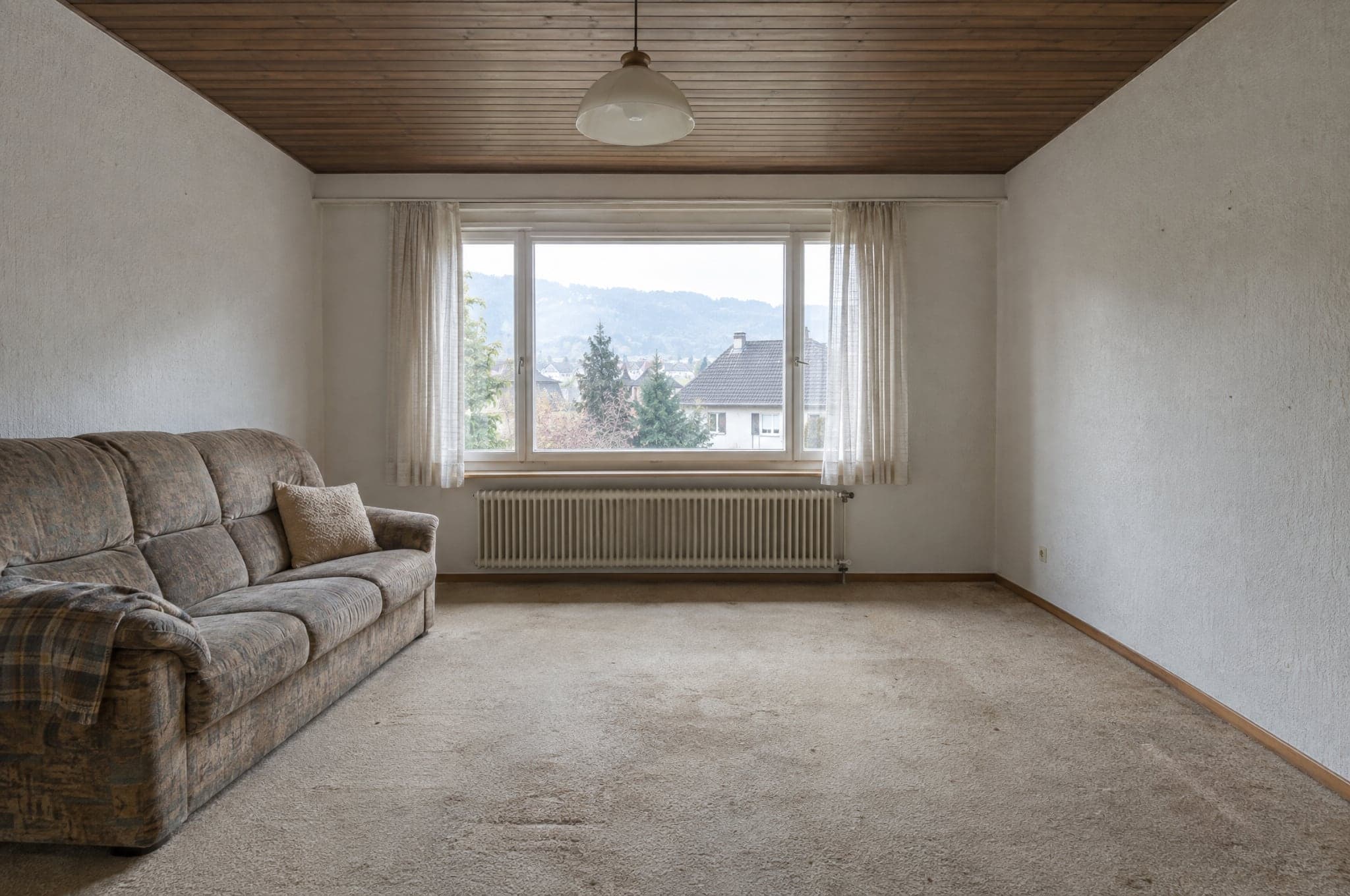
Salon
Photo ajoutée
01Capturer
Une photo que le client a déjà.
Le client photographie la pièce, la façade ou le jardin avec son téléphone, ou dépose une image qu’il a déjà. Sur votre site web, sur la tablette de l’exposition ou sur le téléphone d’un conseiller. Les plans fonctionnent aussi, mis en place pour votre entreprise sur demande.
- Photo au téléphone ou image existante
- Site web, tablette de l’exposition ou téléphone du conseiller
- Ni app, ni compte, ni plans à lire
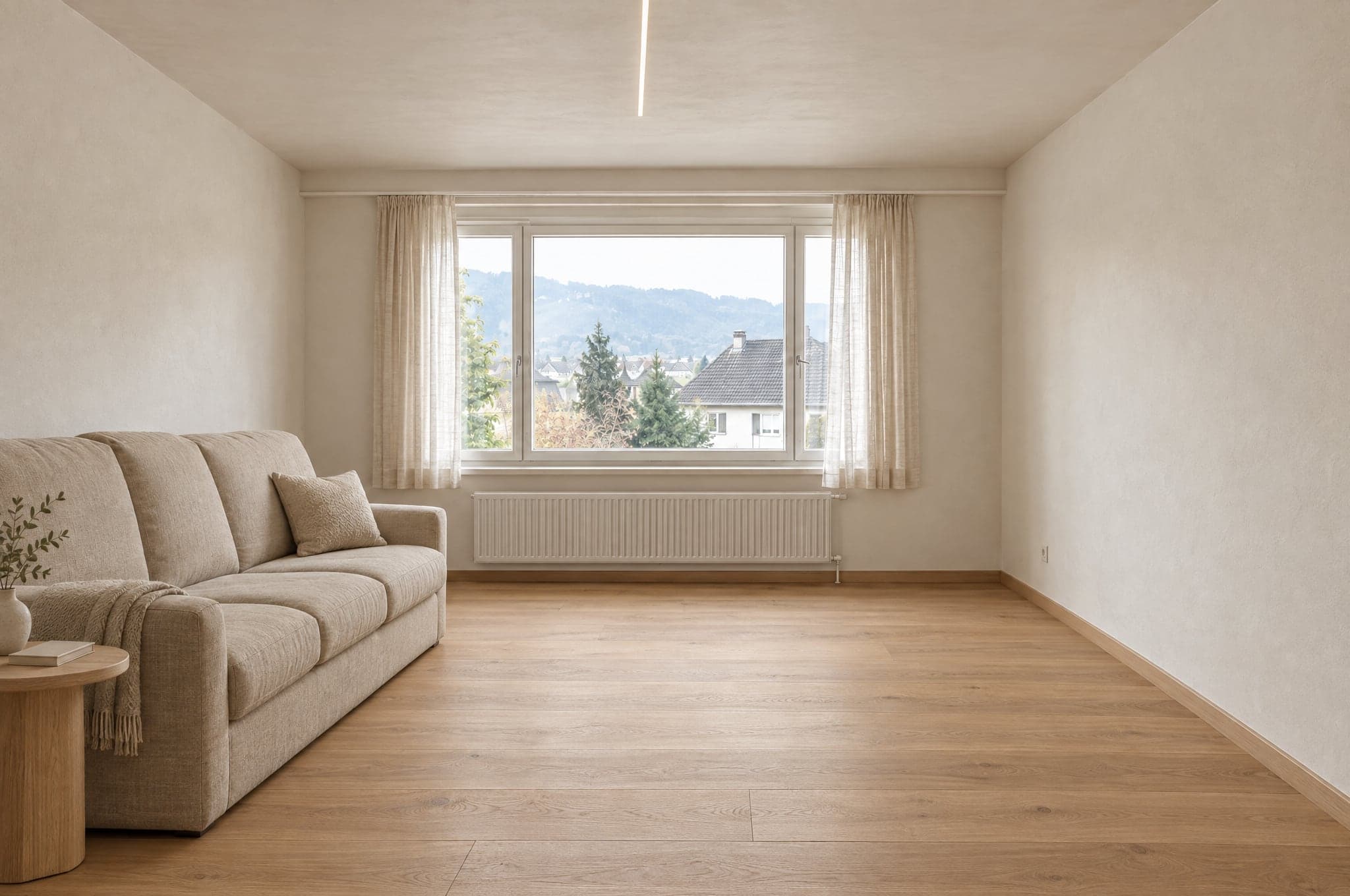 Mis en forme en 41 s
02Mettre en forme
Son propre espace, mis en forme en moins d’une minute.
Le beform Engine lit la photo, verrouille murs, fenêtres, portes et point de vue, et génère une orientation photoréaliste à partir de votre gamme. Le client reconnaît aussitôt la pièce, car c’est toujours la sienne.
- Géométrie verrouillée sur la photo
- Des orientations nommées comme vous les nommez
- Moins d’une minute sur le site web
- v3
Sol · Chêne naturel
03Affiner
Les matériaux, changés un par un.
Façades de meubles, plans de travail, sols, couleurs, stores et équipements, issus de votre catalogue. Les recommandations d’expert suggèrent ce qu’un professionnel changerait ensuite, et chaque modification est conservée comme version.
- Des matériaux issus de vos propres gammes
- Recommandations d’expert
- Chaque modification enregistrée comme version
Nouvelle demande
Qualifiée- Espace
- Salon
- Orientation
- Naturel chaleureux
- Contact
- A. Roth
Envoyée au CRM
04Qualifier
Une demande, image jointe.
Pour conserver le visuel, le client laisse ses coordonnées. Photo, orientation retenue, chaque version et ses réponses arrivent ensemble dans votre portail, avec un e-mail à votre équipe, au moment où son intérêt est au plus haut.
- Coordonnées demandées au moment de l’intérêt
- Espace, orientation et images joints
- Dans votre portail, votre boîte de réception et un CRM connecté
- v2v3
Recommandation d’expert. Réchauffer d’un demi-ton la teinte du mur.
SBS. Brunner · StudioTransmettre05Poursuivre
La conversation part d’une décision.
Votre conseiller ouvre le même visuel dans le Studio, l’affine avec le client et transmet la version retenue au devis. Le premier rendez-vous n’est plus une simple découverte du besoin.
- Le même visuel, ouvert dans le Studio
- Affiné en direct avec le client
- Transmis au devis
Un visuel, deux journées très différentes.
La même image ne joue pas le même rôle pour la personne qui prépare son projet et pour celles et ceux qui le vendent.
Ce que vit la personne qui prépare le projet.
Pour le client final
- Voit sa propre pièce, sa façade ou son jardin terminés avant toute visite.
- Choisit entre quelques orientations claires au lieu de tout un catalogue.
- Garde le visuel et le partage avec ceux qui décident avec lui.
- Arrive au premier rendez-vous avec une image, pas avec une liste d’adjectifs.
- Reçoit un devis qui correspond à ce qu’il a déjà vu.
Ce que reçoivent la vente, les conseillers et le bureau.
Pour votre équipe
- Les demandes arrivent avec photo, espace, orientation et contact joints.
- Les demandes sérieuses se reconnaissent avant que quiconque ne prenne la route.
- Les entretiens de conseil partent de la version retenue, pas de zéro.
- Le visuel retenu accompagne la demande jusqu’au devis.
- Chaque demande, chaque version et chaque transmission se trouvent au même endroit.
De la formule signée à la mise en ligne en quelques semaines.
beform se charge de la configuration et de l’apprentissage. Votre équipe consacre un appel et quelques réponses, puis les premières demandes arrivent.
Appel de démarrage
Semaine 1
Un appel avec votre responsable commercial et la personne qui gère le site web. Ce que vous vendez, quels espaces comptent et comment les demandes doivent parvenir à votre équipe.
Configuration
Semaines 1 à 2
Espaces, orientations, marque, domaine et les champs dont votre processus de vente a besoin. Le flux des demandes est relié à votre boîte de réception et, si vous en utilisez un, à votre CRM.
Apprentissage
Semaines 2 à 3
beform apprend votre style et vos gammes à partir de références et de données produits. Dès lors, chaque visuel est contrôlé automatiquement avant qu’un client ne le voie. Ce que beform lit de votre entreprise à cette étape est aussi ce à partir de quoi un AI Brain est construit.
Mise en ligne
Semaines 2 à 4
Le Showroom arrive sur votre site web et les conseillers reçoivent le Studio. Dès la deuxième semaine pour une formule standard, jusqu’à la quatrième avec l’apprentissage et un catalogue complet.
Questions sur le processus.
Non. Le Showroom fonctionne dans le navigateur, sur n’importe quel téléphone, tablette ou ordinateur. Le client importe une photo, choisit une orientation et laisse ses coordonnées pour conserver le visuel.
Demander une présentation sur vos propres projets.
Voyez beform sur les pièces, les façades et les jardins que vos clients vous envoient vraiment. Pas de diapositives, pas de cuisine d’exemple.
- 01Vous envoyez l’adresse de votre site et une ligne sur ce que vous vendez.
- 02Edvin prépare des visuels à partir de trois de vos projets.
- 03Trente minutes ensemble sur le résultat, le parcours de demande et la formule.
 Edvin KarlssonPartenaire, beform
Dites-nous par où commencer
Edvin répond dans un délai d’un jour ouvrable avec un horaire et ce qu’il faut envoyer.
Voyez beform à l’œuvre sur la photo d’un de vos clients.
Importez une photo dans la démo et regardez-la prendre forme. Ou réservez trente minutes : nous essayons beform sur trois de vos vrais projets.