Die beform Engine. Der Raum Ihrer Kundschaft, bewahrt.
Ein Rendering nützt nur, wenn die Kundschaft ihren eigenen Raum wiedererkennt. Dafür existiert alles unter der Haube: Die Geometrie bleibt, die Materialien bleiben in ihren Grenzen, und jedes Ergebnis wird geprüft, bevor es jemand sieht.
Sieben Teile, ein Weg vom Foto zur Anfrage.
Die beform Engine ist nicht ein Modell. Sie besteht aus sieben Teilen, die nacheinander laufen, vom Lesen des Kundenfotos bis zur Anfrage, die Ihr Team erreicht, und aus einem Kreislauf, der Ihre eigene Ebene mit jedem Verkauf schärft.
- Verstehen
Wahrnehmung
Der Raum wird gelesen.
Bevor etwas geformt wird, liest beform das Foto: die Geometrie des Raums und den Kamerastandort, wo jede Fläche beginnt und endet, die Richtung des Tageslichts und die Materialien, die schon im Raum sind.
- Geometrie
- Kamera
- Flächen
- Tageslicht
- Bestehende Materialien
Wissen
Ihr Unternehmen, strukturiert.
Ihre Sortimente, Oberflächen, Stilrichtungen, Standards und Regeln liegen in einer eigenen Ebene, mit Ihren Preisen, wo Sie sie konfiguriert haben. So kann ein Bild nur zeigen, was Ihr Unternehmen wirklich verkauft.
- Sortimente
- Oberflächen
- Stilrichtungen
- Regeln
- Standards
- Preise, wo konfiguriert
Richtung
Der Wunsch wird eine Anweisung.
Der Bereich, den die Kundschaft gewählt hat, der Stil, die mitgebrachten Referenzen und der Satz, den sie geschrieben hat, werden zu einer präzisen Anweisung: was bleiben muss, was sich ändern darf und wie weit.
- Bereich
- Gewählter Stil
- Referenzen
- Notiz der Kundschaft
- Formen
Formung
Das Bild wird geformt.
Die Anweisung geht an die stärksten Modelle, die in diesem Moment verfügbar sind, als Fast, Pro oder Ultra, und das Bild wird geformt, während die Geometrie aus dem Foto der Kundschaft fixiert bleibt.
- Fast
- Pro
- Ultra
- Geometriefixierung
- Anbieterwahl
Kontrolle
Geprüft, bevor es jemand sieht.
Jedes Ergebnis wird gemessen, bevor es gezeigt wird: eine vollständige Datei, der Bildausschnitt des Fotos, Wände und Öffnungen an ihrem Platz, eine tatsächlich vorgenommene Veränderung und keine leeren Flächen. Es wird als KI-Bild gekennzeichnet, im Bild und in der Datei.
- Datei
- Bildausschnitt
- Struktur
- Veränderung
- Sauber
- Kennzeichnung
- Weiterführen
Übergabe
Es wird eine Anfrage.
Das gewählte Bild verlässt die Engine als etwas, mit dem Ihr Team arbeiten kann: eine Projektanfrage mit Foto und Kontakt, eine Position in einer Offerte, ein Datensatz in Ihrem CRM.
- Projektanfrage
- Offertposition
- Bilddatei
- CRM-Eintrag
Lernen
Ihre Ebene wird schärfer.
Was Ihre Beratung behält, ändert oder verwirft, und was die Kundschaft am Ende wählt, fliesst in Ihre eigene Ebene zurück. So beginnt das nächste Bild näher an dem Standard, den Ihr Unternehmen freigeben würde.
- Rückmeldung der Beratung
- Entscheide der Kundschaft
- Ihr Hausstandard
Der Kreislauf
Lernen speist das Wissen. Jedes verkaufte Projekt lernt die eigene Ebene weiter an, und die Engine beginnt das nächste Bild dort.
Gebaut von Menschen, die gelernt haben, wie diese Arbeit verkauft wird.
Ein allgemeines Modell weiss, wie eine Küche aussieht. Es weiss nicht, wo eine Fuge in der Abdeckung sitzt, welche Fronten ein Unternehmen führt oder was zwischen einer Anfrage und einer unterschriebenen Offerte passiert. Dieses Wissen ist das Produkt.
Die Branchen
beform ist für eine Art von Arbeit gebaut: einen Raum verändern, mit dem jemand schon lebt. Jede Branche verkauft anders, zeigt anders und hat ihre eigenen Begriffe. Deshalb hat jede Branche eigene Regeln in der Engine statt einer allgemeinen Einstellung.
- Küchenstudios
- Badspezialisten
- Generalunternehmer
- Fassaden und Malerarbeiten
- Gartenbauer und Poolbauer
- Fenster und Sonnenschutz
- Bodenbeläge und Innenausbau
- Architekturbüros und Projektentwickler
Wie sich Materialien verhalten
Ein Bild überzeugt oder kippt in den Details, die eine Fachperson auf der Baustelle bemerkt. Diese Details sind als Regeln hinterlegt und werden pro Bereich geprüft, denn ein allgemeines Modell hat keinen Grund, sie zu kennen.
- Wo eine Fläche beginnt und wo sie endet
- Fugen, Stösse, Sockelleisten und Silikonlinien
- Kanten, Profile und Fensterleibungen
- Glanzgrad, Struktur und wie eine Oberfläche Tageslicht annimmt
- Eingebaute Beleuchtung gegen das Licht, das schon im Raum ist
- Ob das Ergebnis tatsächlich gebaut werden könnte
Wie diese Unternehmen verkaufen
Diese Arbeit verkaufen Menschen, in einer Reihenfolge, die sich nicht geändert hat: eine Anfrage, ein Termin in der Ausstellung, ein Termin vor Ort, eine ausgemessene Offerte, eine Lieferzeit von Wochen. beform ist um diese Reihenfolge gebaut. Deshalb endet ein Bild als Anfrage und als Offertposition und nicht als Download.
- Die Anfrage, und wer sie zuerst beantwortet
- Der Termin in der Ausstellung und der Termin vor Ort
- Sortimente, Lieferanten und Lieferzeiten
- Was in einer Offerte versprochen werden darf und was nicht
- Wer ein Bild freigibt, bevor die Kundschaft es sieht
Die Linien des Raums bleiben, wo sie waren.
beform zeichnet Wände, Fenster, Deckenlinie und Kamerastandort nach, bevor irgendetwas gerendert wird. Diese Linien sind fixiert. Das Rendering darf nur verändern, was eine Renovation verändern würde.
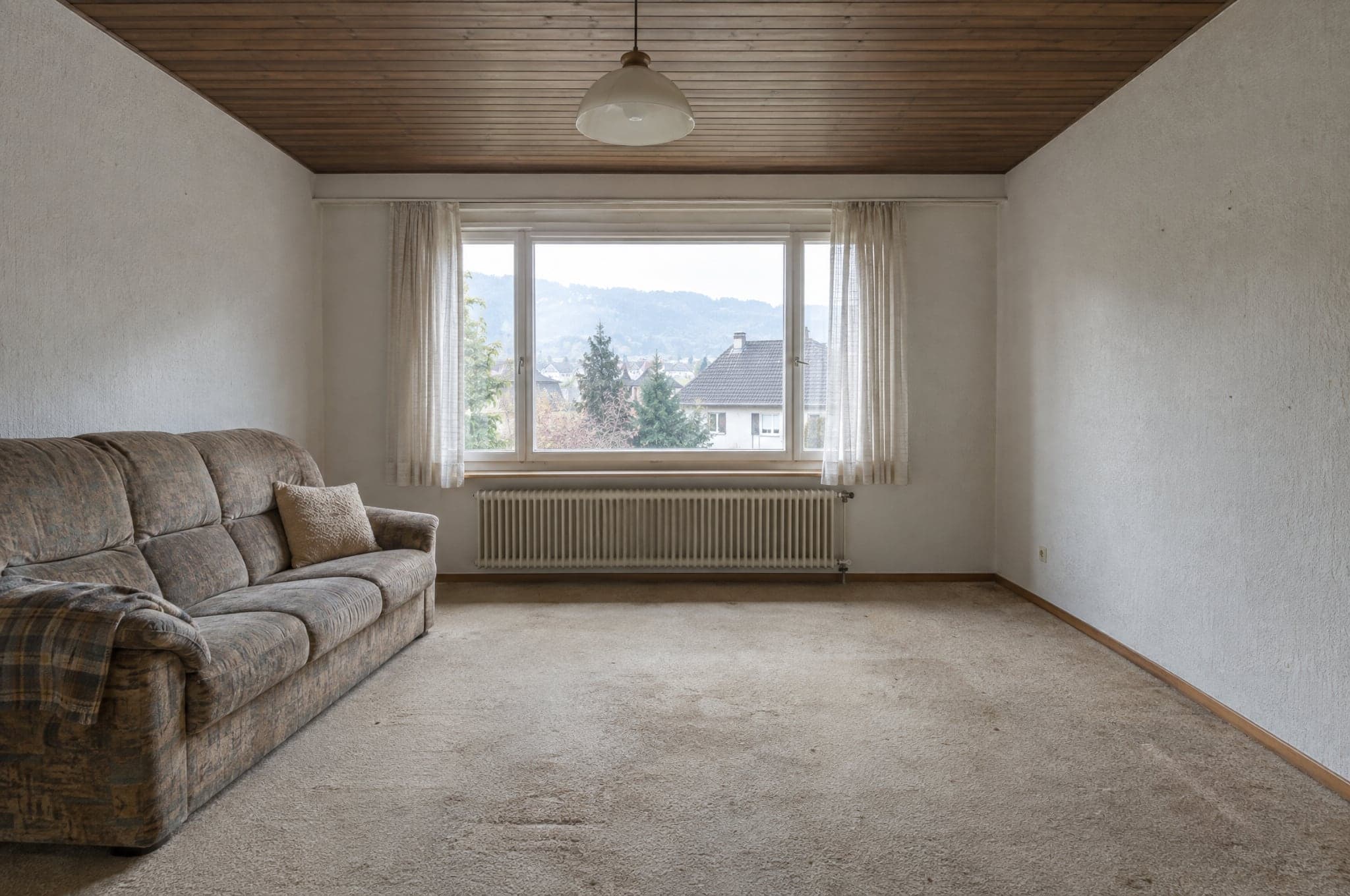 Beispiel
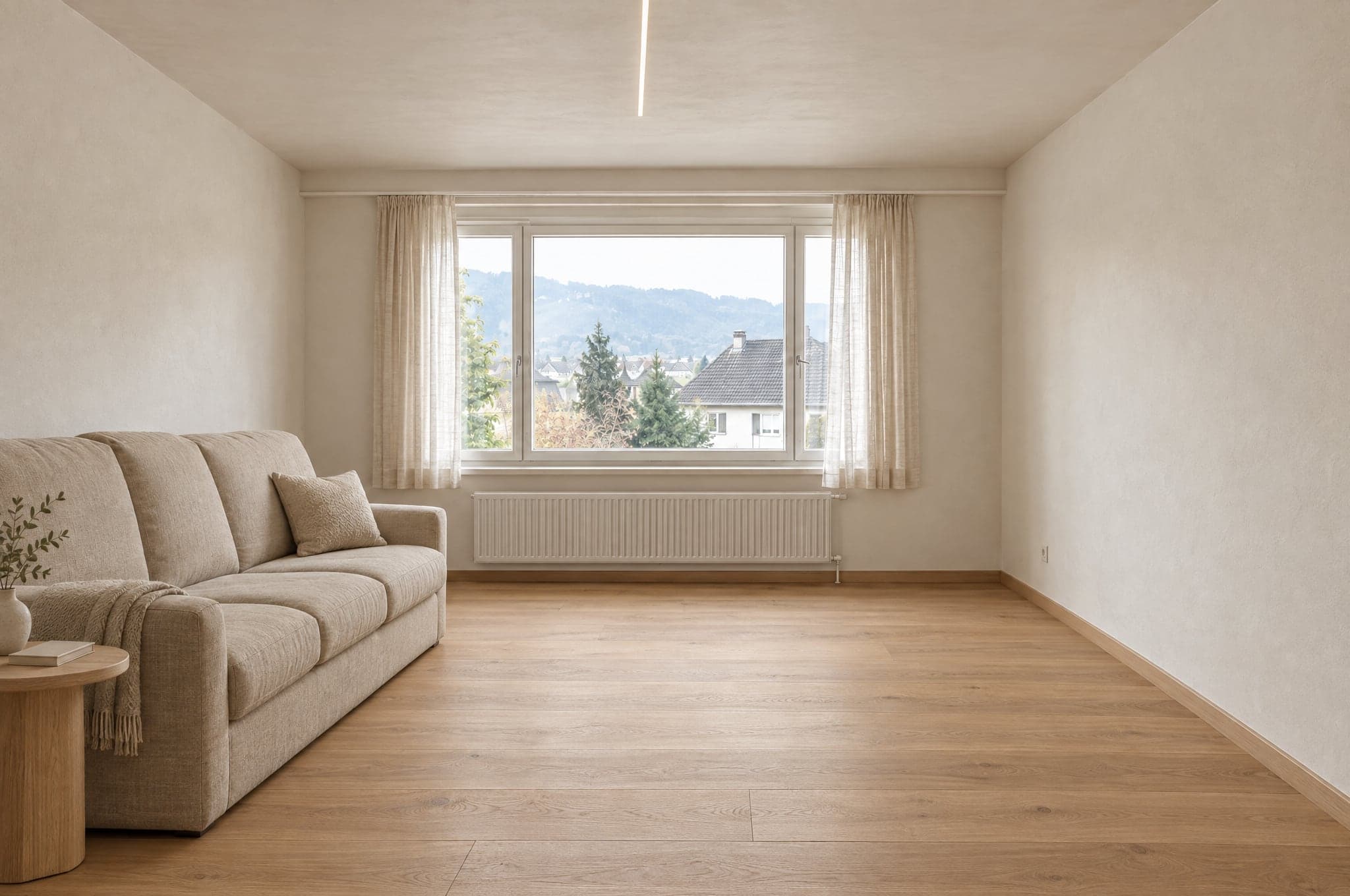 Beispiel
Bleibt wie fotografiert
- Wände und Decke
- Fenster und Türen
- Raumproportionen
- Kamerastandort
- Lichteinfall
Ändert sich mit der Richtung
- Beläge und Oberflächen
- Schränke und Möbel
- Armaturen und Ausstattung
- Farben
- Beleuchtung
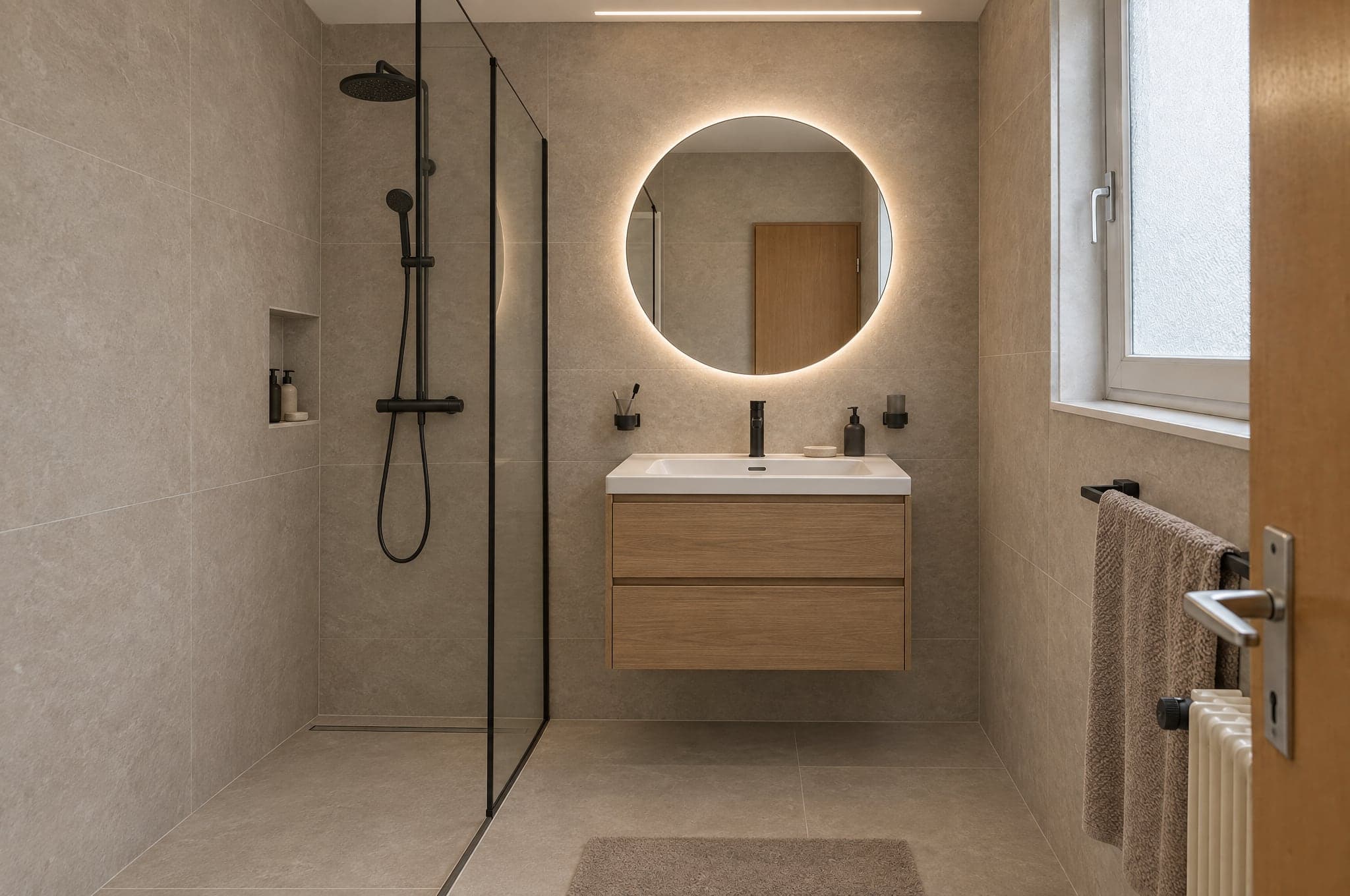
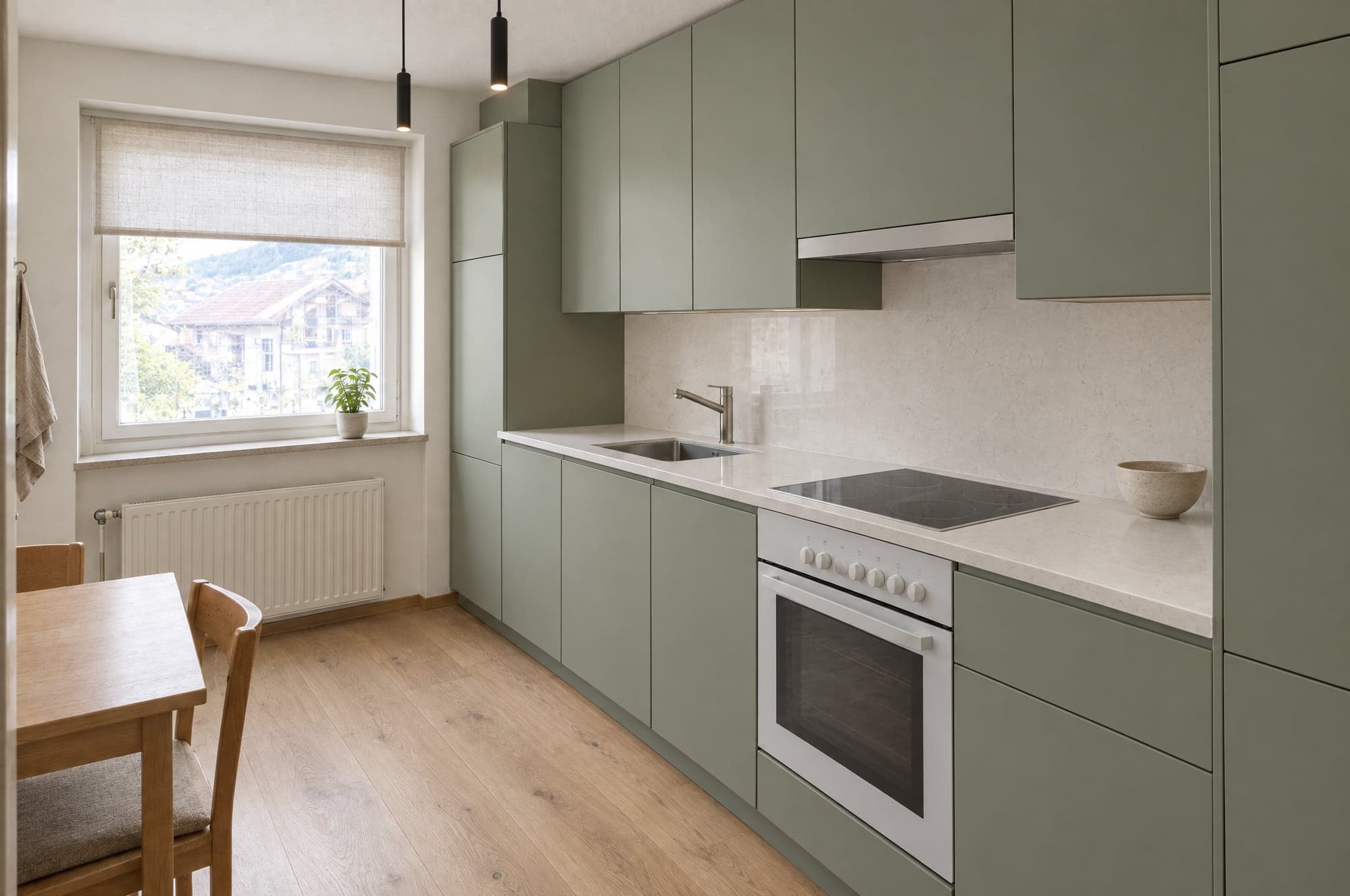
Jeder Bereich hat seine eigene Materialauswahl.
Eine Küche erhält nie Duschplatten, eine Fassade nie Innenfarbe. Mit dem System ist die Grenze Ihr eigener Katalog, sodass ein Rendering nur Produkte zeigt, die Sie verkaufen.
Küche
- Fronten
- Abdeckungen
- Rückwand
- Boden
- Beleuchtung
Ausserhalb der Grenze
Duschplatten
Bad
- Wandplatten
- Waschtisch
- Armaturen
- Dusche
- Boden
Ausserhalb der Grenze
Küchenfronten
Fassade
- Verputz
- Verkleidung
- Fensterrahmen
- Farbe
- Eingang
Ausserhalb der Grenze
Innenfarbe
Garten und Pool
- Beläge
- Bepflanzung
- Pool
- Terrasse
- Beleuchtung
Ausserhalb der Grenze
Parkett
Die Modelle erzeugen die Bilder. beform macht den Rest.
beform trainiert kein Basismodell. beform baut und trainiert die Ebene, die die stärksten allgemeinen Modelle für Küchen, Bäder, Fassaden und Gärten verlässlich macht, und verschiebt diese Ebene laufend auf die jeweils besten Modelle.
Die Ebene von beform
Alles, was diese Modelle für Küchen, Bäder, Fassaden und Gärten verlässlich macht, baut und lernt beform an. Dort liegt die Arbeit, und das ist es, was ein Unternehmen kauft.
Regeln pro Branche und pro Bereich
Was sich in einer Küche, einem Bad, an einer Fassade oder in einem Garten ändern darf und was sich nie verschieben darf. Pro Branche hinterlegt, pro Bereich geprüft.
Die Geometriefixierung
Wände, Fenster, Türen, Decke und Kamera werden aus dem Foto nachgezeichnet und festgehalten. So erkennt die Kundschaft ihren eigenen Raum wieder.
Die Materialbibliothek
Wie sich eine Oberfläche in einem Raum verhält, und wie jedes Verhalten auf die Produkte abgebildet wird, die ein Unternehmen wirklich verkauft.
Das Anlernen des Unternehmens
Referenzen, Produktdaten, abgeschlossene Projekte und Rückmeldungen der Beratung werden zu einer Ebene, die allein diesem Unternehmen gehört.
Verteilung auf die Anbieter
Jeder Schritt geht an das Modell, das ihn derzeit am besten kann. Kommt ein stärkeres Modell, wandert die Verteilung, und die Regeln bleiben.
Prüfsätze
Feste Sätze echter Räume pro Bereich. Ein neues Modell oder eine geänderte Regel läuft dagegen und wird verglichen, bevor sie ein Konto erreicht.
Die Qualitätsprüfung
Die automatische Prüfung, die jedes Ergebnis durchläuft, bevor es gezeigt wird, und die Kennzeichnung, die es im Bild und in der Datei trägt.
Die allgemeinen Modelle
Das Erzeugen eines Bildes und das Lesen eines Satzes übernehmen die stärksten aktuellen Modelle mehrerer Anbieter. beform trainiert kein eigenes Basismodell und behauptet das auch nicht.
Ein Bild ist der Anfang, nicht das Endprodukt.
Die Engine wird daran gemessen, was Ihr Unternehmen mit dem Ergebnis als Nächstes tun kann. Deshalb liefert sie mehr als ein Bild.
Was sie liefert
- Ein fotorealistisches Bild vom eigenen Raum der Kundschaft, in einer Richtung aus Ihrem Sortiment.
- Mehrere Varianten zum Vergleich, jede gespeichert und benannt.
- Eine Bilddatei, als KI-generiert gekennzeichnet, im Bild und in den Metadaten.
- Eine Projektanfrage mit Foto, Bereich, gewählter Richtung und Kontakt.
- Ein Bild, das Ihre Beratung direkt in die Offerte übernehmen kann.
- Ein unverbindlicher Preisrahmen, wo ein Unternehmen das Zusatzmodul «Preise und Kostenrahmen» eingerichtet hat.
Für wen
Die Kundschaft auf Ihrer Website
Sieht die eigene Küche, das eigene Bad, die eigene Fassade oder den eigenen Garten fertig, bevor jemand vorbeikommt, und behält das Bild, um es denen zu zeigen, die mitentscheiden.
Die Beratung im Termin
Öffnet dasselbe Bild, ändert Materialien, während die Kundschaft zuschaut, und geht mit einem Entscheid statt mit einer Liste von Adjektiven.
Das Marketing
Führt Kampagnen, die mit dem eigenen Raum der Besucherin antworten, und erhält Anfragen, die schon qualifiziert sind.
Die Inhaberschaft
Sieht, woher Anfragen kommen, was das Rendering kostet und welche Bilder zu unterschriebenen Aufträgen geführt haben.
Dasselbe Foto in einer Chat-App ergibt ein schönes Bild.
Es ergibt nicht Ihren Raum, nicht Ihr Sortiment, nicht zweimal dieselbe Antwort und nichts, was Ihr Team versenden kann. Das ist der Unterschied zwischen einer Eingabe und einer angelernten Ebene.
Es hält den Raum
Eine Eingabe in einer Chat-App darf den Raum neu zeichnen. Die Ebene zeichnet zuerst die Geometrie nach und hält sie fest. So ist das Ergebnis immer noch der Raum der Kundschaft.
Es zeigt nur, was Sie verkaufen
Ein allgemeines Modell erfindet ein plausibles Produkt. Die Ebene ist durch Ihren Katalog begrenzt, sodass sich das Gewählte auch offerieren lässt.
Es ist jedes Mal gleich
Dasselbe Foto und dieselbe Richtung ergeben für jede Beratung ein vergleichbares Ergebnis, statt davon abzuhängen, wer die bessere Eingabe schreibt.
Es hört nicht beim Bild auf
Das Bild kommt als Anfrage, als Offertposition und als gekennzeichnete Datei, in Ihrer Marke und in Ihrem CRM, mit abgerechneter Nutzung.
Geprüft, bevor es jemand sieht.
Jedes Ergebnis wird gemessen, bevor es gezeigt wird, ein Bild, das nicht hält, wird noch einmal geformt oder gar nicht gezeigt, und jedes Bild, das die Prüfung besteht, wird im Bild und in der Datei gekennzeichnet. Was ein Bild nicht sagen kann, steht hier ebenfalls.
Automatisch gemessen
Bevor ein Ergebnis gezeigt wird, werden fünf Dinge gemessen: Die Datei ist vollständig, in voller Auflösung und im verlangten Seitenverhältnis; der Bildausschnitt ist der des Fotos, nicht beschnitten oder gezoomt; Wände, Fenster, Türen, Dachlinien und der Horizont sind, wo sie waren; die Veränderung wurde tatsächlich vorgenommen, nicht bloss das Foto zurückgegeben; und keine Fläche ist leer, grau oder schwarz. Dasselbe Bild erhält immer dieselbe Antwort. Die Prüfung beurteilt weder Geschmack noch, ob ein Material stimmt.
Wenn ein Ergebnis nicht hält
Es wird noch einmal geformt, mit einer strengeren Anweisung, die benennt, was nicht gehalten hat. Hält es dann immer noch nicht, wird es nicht gezeigt. Die Kundschaft sieht, dass das Rendering nicht abgeschlossen wurde, und kann es erneut versuchen.
Gekennzeichnet, wenn es besteht
Ein Ergebnis, das die Prüfung besteht, wird als KI-Bild gekennzeichnet, im Bild und in den Metadaten der Datei, damit es überall sagt, was es ist.
Was ein Bild nicht ist
Es ist die Illustration einer Richtung, kein Plan und keine Offerte. Es ist nicht massstabsgetreu, Masse und Preisrahmen sind Richtwerte, und das Unternehmen bestätigt Materialien, Machbarkeit und Preis in seiner eigenen Offerte.
 Beispiel
Automatische Prüfung
Bestanden- Datei
- Bildausschnitt
- Struktur
- Veränderung
- Sauber
Drei Engines, nach Stärke gewählt.
Wählen Sie die Engine pro Produkt und pro Situation. Skizzieren mit Fast, die Website mit Pro, präsentieren mit Ultra. Jedes Ergebnis durchläuft dieselbe Qualitätsprüfung, bevor die Kundschaft es sieht.
Für Präsentationen
Ultra
Die grösste Treue zum eigenen Raum der Kundschaft. Geometrie, Licht und Materialien überzeugen auch im Vollbild und im Druck.
DetailtreueTempo- Typische Dauer
- 40 bis 90 s
- Ideal für
- Offerten, Präsentationen in der Beratung, Premium-Projekte
Für den Alltag
Pro
Scharf und zuverlässig. Die Standard-Engine auf der Website und in der täglichen Beratung.
DetailtreueTempo- Typische Dauer
- 15 bis 30 s
- Ideal für
- Showroom auf der Website, Studio im Beratungsalltag
Für Volumen
Fast
Erste Richtungen in Sekunden, für Kampagnen, bei denen Volumen mehr zählt als das letzte Detail. Jedes Ergebnis lässt sich mit einem Klick in Pro oder Ultra neu rendern.
DetailtreueTempo- Typische Dauer
- 8 bis 15 s
- Ideal für
- Landingpages für Kampagnen, erste Richtungen
Auf Ihrer Website, oder unter einer eigenen Adresse.
Der Showroom läuft dort, wo Ihre Kundschaft Sie bereits findet. Das Studio läuft im Browser: auf dem Tablet in der Ausstellung, auf dem Handy vor Ort und am Bildschirm im Büro.
- <script>
 Meine Visualisierung behalten
Eingebettet in Ihre Website
Ein Script-Tag setzt den Showroom auf jede Seite Ihrer Website. WordPress, Webflow, Shopify, Squarespace oder eine individuelle Entwicklung. Er übernimmt Ihre Farben und Ihre Schrift.
- visual.ihredomain.chIhr BadWarm und natürlichMeine Visualisierung behalten
Auf einer Subdomain von Ihnen
Ein gehosteter Showroom unter einer Adresse wie visual.ihredomain.ch, für Kampagnen, QR-Codes in der Ausstellung und Websites, die Sie lieber nicht anfassen.
Anfragen landen dort, wo Ihr Team schon arbeitet.
27 Anbindungen für CRM, Automatisierung, Websites, Marketing und Kommunikation. HubSpot, Pipedrive und Salesforce verbinden Sie in Ihrem Portal, und ein signierter Webhook erreicht jedes andere System, direkt oder über Zapier und Make.
CRM und Verkauf
Aus Anfragen werden Kontakte, Leads und Deals.
- HubSpot
Legt den Kontakt an oder aktualisiert ihn und fügt einen Deal oder eine Notiz hinzu, mit Links zur Visualisierung.
- Salesforce
Ein Lead pro Anfrage über Web-to-Lead, Angaben und Links in den Feldern, die Sie zuordnen.
- Pipedrive
Eine Person und ein Deal in der Phase Ihrer Wahl, oder ein Lead, mit einer Notiz samt Link zur Visualisierung.
- Zoho CRM
Über Zapier, Make oder den signierten Webhook, oder von beform eingerichtet.
- Microsoft Dynamics 365
Über den signierten Webhook, Zapier oder Make, oder von beform eingerichtet.
- monday.com
Über Zapier, Make oder den signierten Webhook, oder von beform eingerichtet.
- Bexio
Über Zapier, Make oder den signierten Webhook, oder von beform eingerichtet.
- Odoo
Über den signierten Webhook, Zapier oder Make, oder von beform eingerichtet.
Automatisierung
Jede Anfrage dorthin leiten, wo Ihr Prozess sie braucht.
- Zapier
Über den signierten Webhook verbunden, mit einer Schritt-für-Schritt-Anleitung in Ihrem Portal.
- Make
Ein Custom Webhook startet Ihr Szenario, mit einer Schritt-für-Schritt-Anleitung in Ihrem Portal.
- n8n
Ein Webhook-Knoten startet Ihren Workflow mit jeder signierten Anfrage.
- Airtable
Ein Datensatz pro Anfrage, über Zapier oder Make.
- Google Sheets
Eine Zeile pro Anfrage über Zapier oder Make, für Teams, die ihren Verkauf in einer Tabelle führen.
- Webhooks
Ein signierter HTTPS-POST pro Anfrage, bei Fehlern wiederholt, mit allen Feldern und Links zur Visualisierung.
Websites
Der Showroom läuft auf der Website, die Sie schon haben.
- WordPress
Ein Script-Tag auf jeder beliebigen Seite oder eine gehostete Seite auf Ihrer Domain.
- Webflow
Den Showroom mit einem Embed-Element in jeden Abschnitt setzen.
- Shopify
Eine Showroom-Seite in Ihrem Theme, eingebunden mit dem Embed-Code.
- Squarespace
Den Showroom mit einem Code-Block auf jeder Seite einfügen.
- Wix
Den Showroom mit einem Element für eigenen Code einbetten.
- Framer
Den Showroom mit einer Embed-Komponente in eine Seite ziehen.
Marketing und Analyse
Den Ablauf messen und Ihre Kampagnen speisen.
- Google AnalyticsGeplant
Uploads, Richtungen und Anfragen als Events in GA4.
- Google Tag ManagerGeplant
Jeder Schritt des Ablaufs im Data Layer.
- Google AdsGeplant
Qualifizierte Anfragen als Conversions für die Gebotsstrategie zurückgemeldet.
- MetaGeplant
Anfragen als Conversions für Ihre Meta-Kampagnen gemeldet.
- Mailchimp
Kontakte gelangen in die Zielgruppe Ihrer Wahl, über Zapier oder Make.
- Brevo
Kontakte und ihre gewählte Richtung gelangen über Zapier oder Make zu Brevo.
Kommunikation
Das Team informieren, der Kundschaft antworten.
- Slack
Eine Nachricht in Ihrem Verkaufskanal für jede neue Anfrage, über Zapier oder Make.
- Microsoft Teams
Neue Anfragen im Kanal, den Ihr Team im Blick hat, über Zapier oder Make.
- WhatsApp
Eine Nachricht an Ihr Team für jede neue Anfrage, über Zapier oder Make.
- Gmail
Jede Anfrage per E-Mail an Ihr Team, egal was Sie sonst verbinden.
- Calendly
Die Kundschaft bucht die Beratung direkt, nachdem sie ihre Visualisierung behalten hat.
Als KI gekennzeichnet, sichtbar und in der Datei.
beform ist für die Transparenzpflichten des EU AI Act gebaut. Jede Visualisierung sagt, was sie ist: der Person, die sie ansieht, und der Software, die sie öffnet.
So kennzeichnet und handhabt beform Visualisierungen heute. Keine Zertifizierung.
Ein sichtbares Label
Jede Demo-Visualisierung trägt ein sichtbares beform-Label, damit niemand sie für ein Foto hält.
In der Datei markiert
Bilder, die beform ausliefert, enthalten IPTC-Metadaten, die sie als KI-generiert ausweisen. Diesen Standard nutzen Verlage und Plattformen.
Eine Illustration des eigenen Raums
Die Geometrie des Kundenfotos bleibt erhalten, und jede Visualisierung wird als Illustration einer Richtung präsentiert, nicht als fertiges Projekt.
Keine Entscheidungen über Personen
Keine biometrische Bearbeitung und keine automatisierten Entscheidungen über Personen. Jedes Bild wird automatisch geprüft, bevor es jemand sieht.
Entwickelt in der Schweiz, gespeichert in Zürich.
Was Ihre IT und Ihre Rechtsberatung zuerst fragen, an einem Ort beantwortet.
- Gespeichert in Zürich, betrieben in Frankfurt
- Die Datenbank und der Dateispeicher liegen in Zürich, Schweiz, und die Anwendung läuft in Frankfurt, Deutschland. Um eine Visualisierung zu formen, geht das Foto an die KI-Modelle von Google und OpenAI, die es auf ihrer eigenen Infrastruktur bearbeiten, auch in den USA, gestützt auf Vereinbarungen zur Auftragsbearbeitung.
- Verschlüsselt bei der Übertragung und im Speicher
- TLS bei jeder Verbindung zu beform, und Verschlüsselung im Speicher durch die Hosting-Anbieter, bei denen die Daten liegen.
- Jedes Unternehmen getrennt
- Alle Kunden teilen sich eine Datenbank, und jeder Datensatz gehört einem von ihnen. Row Level Security lässt eine angemeldete Person nur die Datensätze ihres eigenen Unternehmens lesen, und ein Test, der sich als zwei Unternehmen anmeldet, prüft die Trennung nach Änderungen an der Datenbank.
- Zugriff nach Rolle, Zwei-Faktor-Anmeldung
- Persönliche Konten mit den Rollen Inhaber, Admin, Verkauf, Beratung und Lesezugriff, serverseitig geprüft, und die Zwei-Faktor-Anmeldung für jedes Benutzerkonto verfügbar. Das beform-Team sieht Ihre Daten nur über einen zeitlich begrenzten Support-Zugang, den Sie gewähren, oder bei der Vorbereitung eines Second-Look-Durchgangs, den Sie angefordert haben.
- Privater Speicher, kurzlebige Links
- Fotos und Visualisierungen sind nie öffentlich lesbar. Jede Datei öffnet sich nur über einen signierten Link, der abläuft, und sensible Aktionen wie Exporte werden in einem Audit-Log festgehalten.
- Aufbewahrung im Vertrag festgelegt
- Fotos von Besucherinnen und Besuchern, die keine Anfrage senden, werden nach 90 Tagen gelöscht, sofern nichts anderes vereinbart ist. Anfragen bleiben, bis Sie sie löschen. Endet der Vertrag, exportieren wir Ihre Daten, wenn Sie innerhalb von 30 Tagen danach fragen, und löschen sie dann innerhalb weiterer 30 Tage. Kopien gelöschter Daten werden spätestens nach 90 Tagen aus den Backups entfernt.
- Kein Training mit Ihren Daten
- beform verwendet weder Ihre Inhalte noch die Daten Ihrer Kundschaft zum Training von KI-Modellen, und nach den API-Bedingungen der Konten von beform tun es auch die KI-Anbieter nicht.
- Ein Schweizer Vertragspartner
- beform ist ein Produkt der crue GmbH, Schweiz. Die Kundenvereinbarung untersteht Schweizer Recht, und ihr Anhang zur Auftragsbearbeitung deckt das Schweizer DSG, die DSGVO und, wo sie gilt, die UK GDPR ab.
Fordern Sie eine Vorführung an mit Ihren eigenen Projekten.
Sehen Sie beform an den Räumen, Fassaden und Gärten, die Ihre Kundschaft Ihnen tatsächlich schickt. Keine Folien, keine Musterküche.
- 01Sie senden uns Ihre Website und eine Zeile dazu, was Sie verkaufen.
- 02Edvin bereitet Visualisierungen aus drei Ihrer eigenen Projekte vor.
- 03Dreissig Minuten gemeinsam zu Ergebnis, Anfrageablauf und Setup.
 Edvin KarlssonPartner, beform
Sagen Sie uns, wo wir anfangen
Edvin antwortet innerhalb eines Arbeitstags mit einem Termin und sagt Ihnen, was Sie schicken sollen.
Sehen Sie beform an einem Foto aus Ihrer Kundschaft.
Laden Sie in der Demo ein Foto hoch und sehen Sie zu, wie es Form annimmt. Oder buchen Sie dreissig Minuten, und wir zeigen es an drei Ihrer echten Projekte.